
Introduction
A vision board can be a helpful way to organize your dreams, clarify your priorities, and remind yourself of the future you want to build. However, simply collecting attractive pictures and placing them on a wall does not automatically make your goals happen. The real value comes from connecting those pictures to clear goals and consistent actions.
If you want to learn how to make a vision board that really works, start by deciding what you genuinely want to achieve. Choose meaningful pictures, add specific goals, identify possible challenges, and create small steps you can take every week.
A successful vision board should do more than look beautiful. It should help you remember what matters, stay focused when motivation changes, and take practical steps toward your personal, professional, and financial goals.
This guide explains how to create a vision board from scratch, what to include, how to organize it, and how to use it as part of a realistic personal development routine.
What Is a Vision Board?
A vision board is a collection of pictures, words, quotes, affirmations, and reminders that represent things you want to accomplish or experience in your life.
It can be a physical board made with paper, photographs, magazines, and other craft materials. Alternatively, you can create a digital vision board using a computer, tablet, or smartphone.
People commonly create vision boards to represent goals related to:
- Career: Getting a promotion, starting a business, or finding a more fulfilling job.
- Money: Saving for a house, paying off debt, or building financial stability.
- Health: Developing healthier routines, improving fitness, or prioritizing rest.
- Relationships: Spending more time with loved ones and building stronger connections.
- Education: Completing a degree, learning a language, or developing professional skills.
- Travel: Visiting new countries, exploring different places, or planning a meaningful vacation.
- Personal growth: Becoming more confident, organized, independent, or disciplined.
The purpose is to create a visual reminder of your priorities.
A vision board is not a magic tool, and there is no reliable guarantee that looking at pictures will make something happen. It works best as a personal planning and motivation aid that supports real decisions and everyday habits.
How to Make a Vision Board That Really Works
Creating an effective vision board does not require expensive supplies or professional design skills. What matters most is choosing goals that are meaningful to you and making the board useful in your everyday life.
Follow these steps to create one that supports your ambitions.
1. Decide What You Really Want
Before collecting pictures, spend some time thinking about the life you want to create.
Many people make the mistake of starting with images they find attractive. They might choose luxury houses, expensive cars, beautiful vacations, and inspirational quotes without considering whether those things represent their actual priorities.
Instead, begin with a short personal reflection.
Ask yourself:
- What do I want to change in my life?
- What would make me feel proud one year from now?
- Which habits do I want to develop?
- What skills would help me move forward?
- What am I currently spending too much time or energy on?
- What would make my everyday life more meaningful?
Write your answers in a notebook or on a separate piece of paper.
Try to distinguish between goals you genuinely want and things you feel pressured to want because of social media, friends, or other people’s expectations.
Practical example:
Instead of writing, “I want to be successful,” identify what success means to you. It could mean completing a professional qualification, finding a better job, building a small business, or having more time for your family.
A specific goal gives your vision board a clear direction.
2. Choose Your Main Life Categories
Once you understand your priorities, divide your vision board into a few important categories.
You do not need to include every part of your life. Select the areas that deserve your attention during the next six months or year.
Here are some useful categories:
| Category | Possible goals |
|---|---|
| Career | Get a promotion or start a business |
| Financial | Save money or build an emergency fund |
| Health | Exercise regularly and improve sleep |
| Relationships | Spend more quality time with family |
| Education | Learn a new skill or finish a course |
| Travel | Visit a particular destination |
| Personal growth | Build confidence and discipline |
For example, if your biggest priority is improving your career, you can give that section more space than travel or entertainment.
Try choosing three to five major categories. This keeps the board focused instead of turning it into a collection of unrelated wishes.
3. Turn Your Dreams Into Specific Goals
This is one of the most important steps when learning how to make a vision board that really works.
A vague dream is difficult to act on. A clear goal gives you something you can plan, measure, and review.
Compare these examples:
| Vague dream | More specific goal |
|---|---|
| Become successful | Complete a professional certification |
| Get fit | Walk for 30 minutes five days a week |
| Save money | Save a fixed amount every month |
| Travel more | Save for a trip to Japan |
| Read more books | Read 12 books this year |
| Start a business | Research and launch a small online store |
You can also use the SMART goal framework to make your goals more practical.
SMART goals are:
- Specific: Clearly explain what you want.
- Measurable: Decide how you will track progress.
- Achievable: Choose something realistic with your current resources.
- Relevant: Make sure the goal matters to your life.
- Time-bound: Set a reasonable deadline.
For example, instead of writing “Improve my finances,” you could write “Save $1,200 over the next 12 months by setting aside $100 each month.”
The amount and deadline should reflect your actual circumstances.
Your vision board should remind you of the destination while your written goals explain how you plan to get there.
4. Find Pictures That Represent Your Goals
Pictures are the main visual element of most vision boards. Choose images that represent the experiences, achievements, habits, or feelings you want to work toward.
You can find suitable images in:
- Old magazines and newspapers.
- Personal photographs.
- Printed pictures from free image collections.
- Pinterest inspiration boards.
- Canva templates and design elements.
- Your own photographs and illustrations.
For example, if your goal is to become more organized, choose a picture of a clean workspace, a planner, or a simple daily schedule.
If you want to improve your fitness, choose an image representing an activity you actually enjoy, such as walking, cycling, swimming, or strength training.
Try to select pictures that have a clear connection to your goals.
A useful tip: Choose images that remind you of actions, not just rewards.
A photograph of a beautiful home may represent your dream of owning a house. However, an image of a savings tracker or a person reviewing a budget can also remind you of the financial habits that support that goal.
This combination makes your board more practical.
5. Add Words, Quotes, and Positive Affirmations
Words can give meaning to pictures and help communicate the values behind your goals.
You can include short statements, personal reminders, motivational quotes, or affirmations that encourage a useful mindset.
Some examples include:
- I am building a healthier routine.
- Small steps create meaningful progress.
- I can learn new skills with practice.
- I am becoming more confident.
- I will manage my time wisely.
- I am committed to my priorities.
- Progress matters more than perfection.
Choose statements that feel believable and meaningful.
For example, if you are currently struggling with confidence, “I am practicing speaking up and sharing my ideas” may feel more useful than claiming that you are already completely confident.
Avoid filling every empty space with motivational phrases. A few carefully selected words are usually more effective than dozens of unrelated quotes.
6. Include the Obstacles and Your Action Plans
Here is an important detail that many basic vision board guides overlook: you should think about what could prevent you from reaching your goals.
Imagine that your vision board includes an image representing a new professional qualification.
Ask yourself:
- What could stop me from studying regularly?
- Do I have enough time?
- What happens when I feel tired or distracted?
- How can I make studying easier?
Then create a simple action plan.
For example:
| Goal | Possible obstacle | Action plan |
|---|---|---|
| Exercise regularly | Busy schedule | Walk for 20 minutes after work |
| Save money | Unplanned shopping | Set a monthly spending limit |
| Learn a skill | Lack of motivation | Complete one lesson every evening |
| Read more | Too much screen time | Read 10 pages before bed |
A useful method for this is WOOP, which stands for Wish, Outcome, Obstacle, and Plan.
It encourages you to:
- Wish: Identify something meaningful you want to achieve.
- Outcome: Imagine the best realistic result.
- Obstacle: Identify something within your control that might prevent progress.
- Plan: Decide what you will do when that obstacle appears.
For example:
“When I feel tempted to skip my evening study session, I will complete at least 15 minutes before using social media.”
This approach connects positive visualization with realistic preparation.
A vision board becomes more useful when it reminds you not only of what you want but also of what you can do next.
7. Choose the Right Vision Board Layout
After collecting your pictures and writing your goals, decide how to arrange everything.
A clear layout makes it easier to understand your priorities whenever you look at the board.
You can choose from several styles.
Category-based layout
Divide the board into sections such as career, health, money, relationships, and personal growth. This is a good option if you have goals in several areas.
Central-goal layout
Place your biggest goal in the middle and arrange smaller supporting goals around it. This works well when you have one major priority.
Timeline layout
Organize your pictures according to short-term, medium-term, and long-term goals. This helps you see what needs attention first.
Minimalist layout
Use a small number of pictures, meaningful words, and simple colors. This is useful if you prefer a clean and uncluttered design.
Choose a layout that makes sense to you. There is no single correct way to arrange a vision board.
8. Add Deadlines and Progress Reminders
A vision board can represent long-term ambitions, but your goals also need a timeline.
Without deadlines, it can be easy to keep postponing important tasks.
Consider dividing your goals into three time periods:
| Timeline | Example |
|---|---|
| Next 30 days | Create a weekly exercise routine |
| Next 3 to 6 months | Complete an online course |
| Next 12 months | Apply for a new position |
You can add small notes or labels to the board showing important milestones.
For example, if you want to save money for a holiday, include:
- Decide on a destination.
- Research travel costs.
- Set a monthly savings target.
- Compare travel options.
- Book when your budget allows.
These reminders make your vision board easier to connect with everyday decisions.
Do not worry if your timeline changes. Goals sometimes need adjustment because of unexpected expenses, work responsibilities, family needs, or other circumstances.
The purpose of deadlines is to encourage progress, not create unnecessary pressure.
9. Put Your Vision Board Somewhere Visible
Once your board is complete, place it somewhere you can comfortably see it.
Good locations include:
- Above your study desk.
- Near your home office.
- Inside your bedroom.
- On a wall beside your planner.
- Near a personal workspace.
If you have created a digital vision board, consider using it as your phone wallpaper, desktop background, or tablet lock screen.
The goal is to make it accessible without allowing it to become a distraction.
You do not need to stare at your board all day. A brief review as part of your morning or evening routine is enough to remind you of your priorities.
10. Turn Every Important Picture Into an Action
This is the step that separates a decorative collage from a practical goal-setting tool.
Look at each major picture and ask:
What action can I take this week to move closer to this goal?
For example:
- A dream home picture could lead to researching property prices and creating a savings plan.
- A graduation picture could lead to comparing courses and checking admission requirements.
- A fitness picture could lead to scheduling three exercise sessions.
- A travel picture could lead to estimating costs and opening a dedicated savings account.
- A business picture could lead to researching your target market and testing an idea.
Write down at least one action for each important goal.
Then add those actions to your calendar, planner, or task list.
Remember, the board is a reminder. Your decisions and consistent efforts are what move your plans forward.
11. Review and Update Your Vision Board Regularly
Your goals may change as your circumstances and priorities develop. A vision board should be flexible enough to reflect those changes.
Set aside a little time each week to review your board.
During your review, ask yourself:
- Which goals did I make progress toward?
- What actions did I complete this week?
- Which tasks did I avoid?
- What obstacles made progress difficult?
- Do my current goals still reflect what I want?
- What is my next practical step?
You can also update your board when you achieve a goal.
For example, if you complete a professional course, replace that goal with your next career milestone. If your financial priorities change, adjust the savings target.
A monthly review can help you keep the board relevant without constantly redesigning it.
What Should You Put on a Vision Board?
If you are unsure what belongs on your board, think about the different experiences, achievements, and habits you want to develop.
Here are some ideas to help you get started.
Career and Business Goals
If you want to improve your professional life, consider including:
- Pictures of your ideal workspace.
- Images representing your dream career.
- A certificate or graduation photograph.
- A business idea or product concept.
- A picture representing a leadership role.
- A reminder to improve a specific professional skill.
You can also add a short statement such as “Build skills, create opportunities, and keep learning.”
Financial Goals
For financial improvement, include images and reminders related to:
- Saving for a home.
- Building an emergency fund.
- Paying off debt.
- Creating a monthly budget.
- Starting a business.
- Developing better spending habits.
Avoid focusing only on expensive items. Include reminders of the financial behaviors that can help you reach your targets.
Health and Wellness Goals
Your health and wellness section could include:
- Healthy meals.
- Walking or exercise activities.
- A relaxing morning routine.
- Better sleep habits.
- Outdoor activities.
- Time for rest and self-care.
Choose images that represent realistic habits rather than unrealistic body standards or physical comparisons.
Relationships and Family Goals
If relationships are important to you, consider adding:
- Family photographs.
- Pictures of meaningful shared experiences.
- Reminders to communicate more often.
- Images representing friendship.
- Ideas for spending quality time together.
Some goals are not about achieving something material. Building stronger relationships and being more present can also be meaningful priorities.
Travel and Lifestyle Goals
If travel is one of your ambitions, include:
- Photographs of places you want to visit.
- Pictures of cultural experiences.
- A destination map.
- Travel budget reminders.
- Images representing activities you want to experience.
You can make these goals more practical by adding estimated costs and a savings deadline.
Personal Growth Goals
Personal growth can be represented through:
- Books you want to read.
- Skills you want to learn.
- Inspirational reminders.
- Images of creative activities.
- A language-learning goal.
- A reminder to practice patience or confidence.
Choose goals that help you become the person you want to be rather than trying to copy someone else’s lifestyle.
Physical vs. Digital Vision Board: Which Is Better?
There is no universally better option. The right choice depends on your preferences, available materials, and how you plan to use your board.
| Feature | Physical vision board | Digital vision board |
|---|---|---|
| Materials | Paper, magazines, scissors, glue | Computer, tablet, or phone |
| Customization | Hand-arranged pictures | Easy to edit and rearrange |
| Accessibility | Visible in a chosen location | Available on your devices |
| Cost | Can be inexpensive | Can be free with basic tools |
| Updates | Requires changing physical materials | Usually quick to update |
| Creativity | Hands-on crafting | Digital design and layouts |
When to Choose a Physical Vision Board
A physical board may be a good choice if you enjoy creative activities and want something visible in your home or workspace.
You can use a corkboard, poster paper, a notebook, or a simple piece of cardboard.
It also gives you the opportunity to include handwritten reminders and personal photographs.
When to Choose a Digital Vision Board
A digital board is useful if you prefer working on your computer or smartphone.
You can create one with tools such as:
- Canva for customizable templates and layouts.
- Pinterest for collecting visual inspiration.
- Google Slides for arranging images and text.
- PowerPoint for creating a personalized collage.
- A photo-editing application for combining your own pictures.
Digital boards are also convenient when you want to change goals without printing new materials.
Can You Combine Both?
Absolutely.
You could create a detailed digital vision board and print a smaller version for your desk. Alternatively, keep a physical board at home and use a few selected images as your phone wallpaper.
The best format is the one you will actually use.
How to Make a Digital Vision Board Using Canva
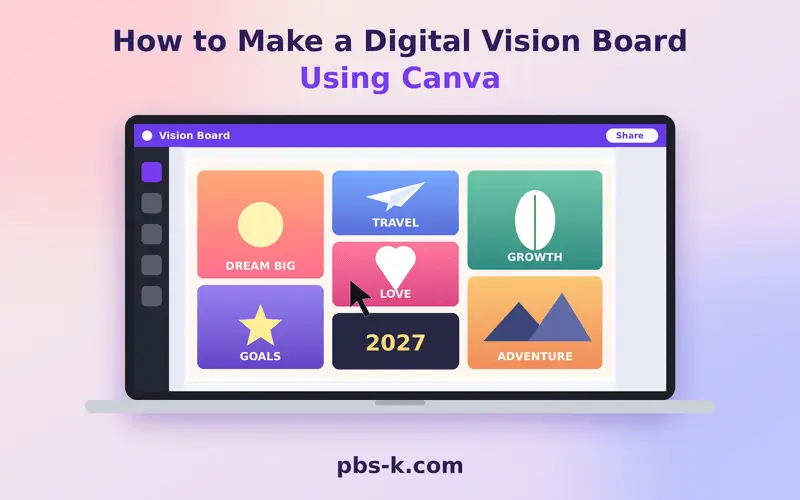
If you do not want to purchase physical supplies, you can create a digital vision board using Canva.
The basic process is straightforward.
- Open Canva: Visit Canva and sign in to your account.
- Choose a design size: Select a presentation, desktop wallpaper, or custom design size.
- Find a template: Search for vision board or mood board templates.
- Add your pictures: Upload personal photographs or choose suitable design images.
- Organize your goals: Create sections for career, finances, health, relationships, and other priorities.
- Add text: Include specific goals, short affirmations, and action reminders.
- Review the design: Make sure the pictures and words are clear and easy to understand.
- Save your board: Download the finished design or keep it in your Canva account.
- Make it accessible: Use it as a desktop background or save it on your phone.
You do not need to use complicated graphics or decorative elements. A simple design with meaningful images can be more useful than an overcrowded collage.
Important: If you use images from the internet, check their usage rights before publishing or commercially distributing your design.
How to Use Your Vision Board Every Day
Making a vision board is only the beginning. Developing a routine around it can help you remember your goals and take consistent action.
Here is a simple routine you can follow.
In the morning:
- Spend one or two minutes reviewing your board.
- Identify one goal that deserves attention today.
- Choose a small action you can complete.
- Add that action to your daily schedule.
During the day:
- Follow through on your selected task.
- Use your action reminders when you feel distracted.
- Avoid trying to work on every goal at once.
In the evening:
- Review what you accomplished.
- Record any progress in a journal.
- Identify what made your tasks difficult.
- Decide what you will do next.
You can also use a weekly review to evaluate your progress.
For example, if your vision board includes learning a new language, your weekly target might be completing three lessons and practicing for 15 minutes each day.
The important thing is to connect the visual reminder with something measurable.
Common Vision Board Mistakes to Avoid
A vision board can lose its usefulness when it becomes disconnected from your actual goals.
Avoid these common mistakes when creating yours.
1. Choosing Goals That Belong to Other People
It is easy to copy goals from influencers, celebrities, or friends. However, a lifestyle that looks attractive online may not suit your needs.
Choose goals based on your own priorities.
2. Adding Too Many Pictures
An overcrowded board can make it difficult to identify your most important goals.
Focus on a few meaningful categories and remove images that do not serve a clear purpose.
3. Using Only Luxury and Reward Images
Pictures of expensive cars, houses, and holidays can look impressive, but they do not explain how to achieve those things.
Include reminders of the work, habits, and decisions that support your ambitions.
4. Setting Unrealistic Deadlines
Setting impossible deadlines can lead to frustration.
Break larger goals into smaller milestones and allow enough time to complete them.
5. Relying on Positive Thinking Alone
Looking at motivational pictures is not a replacement for effort.
A vision board cannot guarantee financial success, improve your skills automatically, or solve personal problems.
Use it alongside realistic plans and consistent actions.
6. Never Reviewing Your Goals
If you create a vision board and forget about it, it may become nothing more than wall decoration.
Schedule regular reviews to check your progress and make changes when necessary.
7. Comparing Your Board With Others
Your board does not need to look like a professional Pinterest design.
A simple board with handwritten notes and personal photographs can be just as meaningful as an elaborate digital collage.
Focus on usefulness rather than appearance.
Do Vision Boards Actually Work?
Vision boards can be useful for organizing goals, creating visual reminders, and keeping important priorities in sight. However, it is important to understand what research does and does not establish.
There is not enough direct scientific evidence to claim that vision boards themselves guarantee better goal achievement.
Research on related psychological techniques offers a more balanced explanation.
For example, the WOOP approach, developed by psychologist Gabriele Oettingen and colleagues, combines imagining a desired outcome with identifying obstacles and planning how to respond.
Its four stages are Wish, Outcome, Obstacle, and Plan. The official WOOP resources explain how to use this method in everyday goal setting.
Research published in Current Psychology has also examined how vivid mental images of future goals can influence positive emotions, commitment, and goal progress. This research concerns visions and goal pursuit, not a direct test proving that physical or digital vision boards work.
The practical lesson is that imagining a desirable future can be a useful starting point, but it should be combined with realistic planning.
A good vision board helps you answer three important questions:
- What do I want to achieve?
- What might prevent me from achieving it?
- What can I do today to make progress?
If your board encourages you to answer those questions and follow through, it can become a meaningful part of your personal development routine.
A Simple Vision Board Example for Beginners
If you are creating your first board, you may find it easier to begin with a simple example.
Imagine that you want to improve your career, finances, health, and personal development over the next 12 months.
Your board could look something like this:
| Life area | Vision board image | Practical action |
|---|---|---|
| Career | Professional workspace | Apply for three suitable opportunities |
| Finances | Savings tracker | Save a fixed amount monthly |
| Health | Walking shoes | Walk four days each week |
| Education | Books and laptop | Complete one online course |
| Relationships | Family photograph | Schedule weekly family time |
| Personal growth | Journal | Write for 10 minutes daily |
You can add a central statement such as:
“Build a healthier, more focused, and financially stable life through consistent progress.”
Then choose a small number of priorities for the coming month.
You do not need to achieve everything immediately. Your first goal is to establish a routine that makes progress possible.
How Often Should You Change Your Vision Board?
You do not need to create a new vision board every month.
A practical approach is to review it weekly and consider making larger updates every three to six months.
Change your board when:
- You achieve an important goal.
- Your priorities change.
- A goal is no longer relevant.
- Your circumstances require a different approach.
- You discover a new ambition that deserves attention.
You can keep long-term goals on the board while updating smaller milestones as you progress.
This allows your vision board to remain useful without turning it into a constant design project.
FAQs
How to Make a Vision Board That Really Works?
Start by identifying meaningful personal goals. Choose relevant pictures, add specific statements, identify possible obstacles, and write down practical actions. Place your board somewhere visible and review your progress regularly. The key is to connect visualization with consistent effort.
What Should I Put on My Vision Board?
Include pictures, words, and reminders representing your career, finances, health, relationships, education, travel, and personal development goals. Choose items that reflect what you genuinely want rather than copying someone else’s ambitions.
How Many Pictures Should Be on a Vision Board?
There is no fixed number. However, using approximately 10 to 20 meaningful images can be a manageable starting point for a beginner. Prioritize relevant pictures over quantity.
Is a Digital or Physical Vision Board Better?
Both can be useful. A physical board is ideal if you enjoy hands-on creativity and want something displayed in your room. A digital board is convenient because you can edit it easily and access it from your devices.
How Long Does It Take to Make a Vision Board?
You can create a simple vision board in approximately 30 to 60 minutes. However, taking additional time to identify meaningful goals and develop action plans can make the process more useful.
Should I Look at My Vision Board Every Day?
You can review it briefly each morning or evening. A quick daily reminder can help you remember your priorities. However, taking action and reviewing your progress regularly are more important than simply looking at the pictures.
Can a Vision Board Help You Achieve Your Goals?
A vision board can help you organize priorities and maintain awareness of your goals. However, it does not guarantee success. Results depend on practical planning, available resources, personal circumstances, and consistent effort.
Can I Make a Vision Board Without Pictures?
Yes. You can use written goals, meaningful words, affirmations, symbols, drawings, and personal reminders. Pictures are helpful but not essential.
What Is the Best App for Making a Vision Board?
Canva is a convenient option for beginners because it offers customizable templates and design tools. Pinterest can help you collect inspiration, while Google Slides and PowerPoint can also be used to create a simple digital collage.
How Often Should I Update My Vision Board?
Review your board weekly and consider updating it every three to six months. You can also make changes whenever you achieve an important goal or your priorities change.
What Is the Biggest Mistake People Make With Vision Boards?
One common mistake is focusing entirely on attractive pictures without creating an action plan. A useful vision board should connect each important goal with realistic steps, deadlines, and ways to measure progress.
Conclusion
Learning how to make a vision board that really works starts with understanding what you genuinely want and turning those ambitions into clear, realistic goals.
Choose meaningful pictures, organize your priorities, add positive reminders, and identify the obstacles that could slow your progress. Most importantly, connect every major goal with an action you can take.
Whether you prefer a physical board or a digital design, remember that its purpose is to support your decisions and everyday habits. You do not need an expensive setup or a perfect design to get started.
Create a board that reflects your priorities, place it somewhere visible, and review it regularly. Small, consistent actions can help you move closer to the future you want to build.