
Introduction
If you no longer want to receive monthly fragrance deliveries, learning how to cancel Scentbird subscription can help you avoid unwanted renewal charges. Whether you have too many perfumes, want to save money, or simply do not use the service anymore, you can request cancellation through the available account management options.
Scentbird provides a cancellation option through its mobile app. If you are not using the app or cannot complete the process yourself, you can contact its Customer Experience team through the Help Center or by email.
Before canceling, it is important to check your next billing date and understand your subscription type. Monthly subscriptions and prepaid plans have different cancellation conditions.
This guide explains how to cancel your Scentbird subscription, what happens after cancellation, how to contact customer support, and what to do if you continue seeing unexpected charges.
How to Cancel Scentbird Subscription
The easiest way to cancel your Scentbird fragrance subscription is through the company’s mobile app.
According to Scentbird’s official customer service instructions, you can find the cancellation option under your account’s subscription management settings.
Follow these steps:
- Open the Scentbird mobile app on your smartphone.
- Log in using the email address associated with your subscription.
- Navigate to the Account section.
- Select Manage Subscription.
- Find and select Cancel Subscription.
- Follow the instructions displayed on your screen.
- Complete the final cancellation steps.
- Look for a cancellation confirmation email.
Source: Scentbird’s official customer service guidance. Scentbird Blog+1
Make sure you complete every required confirmation step. Simply opening the cancellation page or selecting an option without completing the process may not cancel your membership.
Important: Keep the confirmation email for your records. If you do not receive one, check your account’s subscription status or contact customer support to verify that your request was processed.
How to Cancel Scentbird Without the App
If you do not have the Scentbird mobile app, you can contact the company’s Customer Experience team directly.
Scentbird’s official guidance provides two ways to request assistance.
Contact Scentbird Through the Help Center
You can visit the official Scentbird Help Center to ask for help with subscription cancellation.
Here is what to do:
- Visit the Scentbird website.
- Open the Help Center or customer support section.
- Select the option related to subscriptions or account management.
- Explain that you want to cancel your fragrance subscription.
- Provide the account information requested by the support team.
- Ask for written confirmation once the cancellation is completed.
This option is useful if you cannot access the cancellation button or need help with a prepaid plan.
Cancel Through Email
You can also contact Scentbird by email.
Its official customer support email address is:
You can send a short message explaining that you want to stop your subscription from automatically renewing.
Here is an example you can use:
Subject: Request to Cancel My Scentbird Subscription
Hello Scentbird Customer Support,
I would like to cancel my Scentbird fragrance subscription and stop future automatic renewals.
Please let me know if you need any additional information to process my request. I would also appreciate written confirmation once the cancellation is complete.
Thank you for your assistance.
Regards,
[Your Name]
Include the email address associated with your Scentbird account so the support team can identify the correct subscription.
Scentbird’s terms state that it makes reasonable efforts to process subscription termination requests within seven business days. Therefore, do not wait until the last minute if your next billing date is approaching.
When Should You Cancel Scentbird to Avoid Another Charge?
Timing is important when canceling a recurring subscription.
Scentbird recommends canceling at least one day before your next billing date to avoid another renewal charge.
For example, if your next billing date is November 15, submit your cancellation request no later than November 14.
Here is a simple example:
| Billing situation | What to expect |
|---|---|
| Cancel before the billing date | Helps prevent the next renewal charge |
| Cancel on the billing date | The current payment may already be processing |
| Cancel after being charged | The current order may still be processed |
| Cancel a prepaid plan | Cancellation generally takes effect after the committed term |
You can check your billing date by logging into your Scentbird account.
On the website, click your initials in the upper-right corner and select Manage Subscription to view your subscription details.
Scentbird explains that if you cancel after your billing date, your current order will still be processed, but future renewals will be stopped once the cancellation takes effect. Scentbird Blog+1
Helpful tip: Do not wait until the day before renewal if you can avoid it. Contact customer support earlier if you cannot find the cancellation option.
Can You Cancel a Scentbird Subscription Anytime?
Yes, Scentbird allows subscribers to request cancellation at any time, but the effective cancellation date depends on the subscription plan.
There is an important difference between a regular monthly subscription and a prepaid multi-month membership.
Monthly Subscription
If you have a month-to-month subscription, you can request cancellation before the next renewal.
Once the cancellation is processed, your subscription will stop renewing automatically.
If you have already paid for the current billing period, your order may still be processed.
Three-Month, Six-Month, and Twelve-Month Plans
Scentbird also offers prepaid subscription plans that require a commitment for a specific period.
These plans have different cancellation conditions.
According to Scentbird’s terms:
- Three-month subscriptions cannot generally be ended early with an immediate refund.
- Six-month subscriptions remain active through the prepaid commitment.
- Twelve-month subscriptions also continue through the agreed term.
You can contact customer support to request that automatic renewal be stopped or to ask about changing your plan.
You should still receive the shipments included in your prepaid subscription through the end of the applicable term.
This distinction matters because submitting a cancellation request does not necessarily mean that a prepaid membership ends immediately.
Does Scentbird Give Refunds After Cancellation?
Canceling your Scentbird subscription does not automatically mean you will receive a refund.
The outcome depends on the status of your order and the type of subscription you purchased.
Scentbird’s terms explain that a refund may be offered if a subscription order has not yet been processed. If the order has already been processed, the regular subscription cancellation terms generally do not provide a refund.
For prepaid plans, the company states that you will continue receiving shipments through the end of the paid subscription term rather than receiving a refund for the remaining period.
Before contacting support, check:
- Whether your latest payment has been processed.
- Whether your fragrance order has shipped.
- Whether your subscription is monthly or prepaid.
- Whether your cancellation request was submitted before renewal.
If you believe you were charged incorrectly, contact Scentbird and provide the relevant billing information.
You can review the complete policy in the official Scentbird Terms and Conditions. Scentbird
How to Cancel Scentbird Add-On Subscriptions
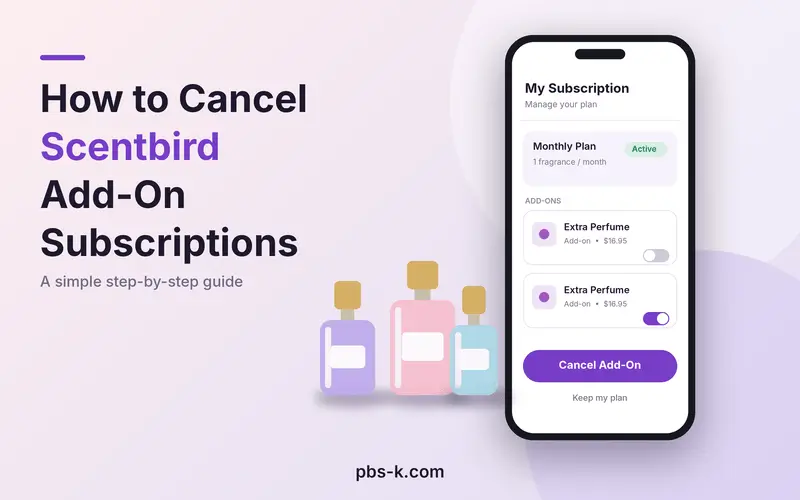
Scentbird offers additional subscriptions alongside its main fragrance membership.
Depending on your account and eligibility, these may include:
- Candle Club
- Sample Duo
- Car Scent
- Case Subscription
If you only want to stop receiving one of these extras, you may not need to cancel your entire fragrance membership.
Scentbird explains that add-on subscriptions can be canceled individually through the Manage Subscription section of your account.
Follow these steps:
- Log in to your Scentbird account.
- Open Manage Subscription.
- Find the add-on you no longer want.
- Select its cancellation option.
- Follow the instructions to complete the request.
- Check your subscription details to confirm the change.
Remember that canceling an add-on does not automatically cancel your main fragrance subscription.
However, canceling your main fragrance subscription automatically cancels its associated active add-on subscriptions.
This is useful if you enjoy receiving your monthly fragrance but no longer want additional products.
Should You Pause Your Scentbird Subscription Instead?
Canceling is not your only option if you need a temporary break.
If you still enjoy trying new fragrances but have more products than you can use, consider whether pausing or skipping a month is more suitable.
Here is how the options differ:
| Option | Best for |
|---|---|
| Cancel subscription | People who no longer want recurring deliveries |
| Skip a month | People who want to miss one billing cycle |
| Pause subscription | People who want a temporary break, if the option is available |
| Cancel an add-on | People who only want to stop an additional subscription |
Scentbird’s subscription terms explain that skipping a month under the main fragrance subscription also skips associated active add-ons for that month.
However, skipping a month is not the same as permanently canceling automatic renewal.
If you want to stop all future recurring payments, make sure you complete the cancellation process rather than relying on a skipped delivery.
What Happens After You Cancel Scentbird?
After your cancellation request is successfully processed, your subscription should stop automatically renewing according to the applicable cancellation terms.
However, a few things are worth understanding.
You may receive a final shipment: If your current monthly order was already billed or processed, it may still be delivered.
Your account may remain available: Canceling a recurring subscription is different from permanently deleting your account.
Prepaid subscriptions may continue: If you purchased a three-, six-, or twelve-month plan, you generally remain eligible for the included deliveries until the prepaid term ends.
Add-ons may also be canceled: If you cancel your main fragrance subscription, associated active add-ons are automatically canceled.
You should receive confirmation: Keep the cancellation email or other written confirmation as proof of your request.
If you want your account permanently removed rather than simply stopping recurring payments, contact Scentbird and ask about its separate account removal process.
What to Do If You Cannot Cancel Your Scentbird Subscription
Sometimes subscribers cannot find the cancellation option or experience problems completing the process.
If this happens, try the following solutions.
Check That You Are Using the Correct Account
Make sure you are logged in with the email address used when purchasing your subscription.
If you have multiple email addresses, you may accidentally be accessing an account without an active membership.
Update the Scentbird App
If the cancellation option is missing, check whether an app update is available.
An outdated application may display different menus or prevent certain account actions from working correctly.
You can also try closing and reopening the app before attempting cancellation again.
Contact Customer Support
If you still cannot cancel, contact Scentbird through its Help Center or email [email protected].
Explain the problem and request written confirmation that automatic renewal has been stopped.
Include your account email and any support ticket number associated with an earlier request.
Keep Records of Your Cancellation Request
Save important information, including:
- The date you requested cancellation.
- Any support ticket or reference number.
- Copies of your emails.
- Cancellation confirmation messages.
- Relevant billing records.
These details can help if you need to follow up about a charge or an unresolved cancellation request.
Check Your Subscription Status Again
After receiving confirmation, log in to your account and check whether your subscription is still listed as active or scheduled to renew.
If the information is unclear, ask customer support to confirm the effective cancellation date.
Do not assume that deleting the app, removing a payment card, or ignoring renewal emails automatically cancels your membership.
FAQs
How do I cancel my Scentbird subscription?
Open the Scentbird mobile app, navigate to Account, select Manage Subscription, and choose Cancel Subscription. Follow the remaining instructions until the cancellation is complete. You should receive an email confirmation.
Can I cancel Scentbird online without using the app?
Yes. If you are not using the mobile app, you can contact Scentbird through its Help Center or email [email protected] to request cancellation.
Does Scentbird charge you after cancellation?
You should not receive future automatic renewal charges once your cancellation has been successfully processed. However, an order billed or processed before cancellation may still be charged and shipped.
Can I cancel Scentbird before my next billing date?
Yes. Scentbird recommends submitting your cancellation at least one day before your next billing date to help prevent another renewal charge.
Can I get a refund after canceling Scentbird?
Not automatically. Scentbird’s terms state that a refund may be offered if the subscription order has not yet been processed. Processed orders and prepaid subscription commitments are subject to different conditions.
Can I cancel a Scentbird three-month subscription early?
You can contact Scentbird to request cancellation or stop automatic renewal. However, a three-month prepaid subscription generally remains active until the end of its committed term, and early cancellation does not automatically qualify for a refund.
How do I cancel Scentbird add-ons?
Log in to your account, open Manage Subscription, locate the add-on you want to stop, and follow its cancellation instructions. You can cancel eligible add-ons without canceling your main fragrance subscription.
Can I pause my Scentbird subscription instead of canceling?
You may have the option to skip a month or take a temporary break, depending on the available account options. Skipping a month is different from permanently stopping automatic renewal.
Will I receive my last Scentbird package after canceling?
You may still receive your final package if the order was already billed or processed before cancellation. Canceling a subscription does not automatically reverse an existing order.
How do I contact Scentbird customer service?
You can contact Scentbird through its official Help Center or email [email protected] for assistance with cancellations, billing questions, and subscription problems.
Conclusion
Canceling your Scentbird subscription is relatively straightforward once you know where to find the correct account settings. The mobile app provides a cancellation option under Account and Manage Subscription, while customers who cannot use the app can contact customer support for assistance.
Before submitting your request, check your next billing date and understand whether you have a monthly or prepaid subscription. Remember to complete every cancellation step and save your confirmation email.
If you no longer want recurring fragrance deliveries, taking these steps can help you avoid unwanted renewals and manage your subscription more effectively.