
Introduction
Xfinity Email is the email service associated with Comcast.net addresses. Depending on your account and whether you have received an invitation to move to Yahoo Mail, you may access your email through Xfinity’s webmail service or through Yahoo Mail.
For many users, the most important question is simple: Where do I log in to my Xfinity email?
If you still use Xfinity’s email platform, the normal starting point is the Xfinity webmail login at connect.xfinity.com. You sign in with your Xfinity ID and password. Xfinity also supports access through email applications such as Outlook, Apple Mail, Thunderbird, and mobile email apps.
This guide explains how Xfinity Email works, how to sign in, configure it, recover your password, troubleshoot common problems, protect your account, and understand the ongoing Comcast.net to Yahoo Mail transition.
What Is Xfinity Email?
Xfinity Email is the email service connected with Comcast.net email addresses.
A typical address looks like:
The email address and the Xfinity account login are related, but they are not necessarily the same thing. Your Xfinity ID is used to access Xfinity services, while your Comcast.net address is your email address.
Xfinity Email can be accessed through a web browser and, where supported, through third-party email applications.
If you have an older Comcast.net address, you do not necessarily need to create a new address simply because Xfinity is offering Yahoo Mail migration. The current migration program is designed to keep the existing Comcast.net address.
How to Log In to Xfinity Email
The easiest way to access Xfinity Email is through the web.
Xfinity Email Login Steps
- Open a browser on your computer or mobile device.
- Go to
connect.xfinity.com. - Enter your Xfinity ID.
- Select the option to continue.
- Enter your password.
- Complete the requested security verification.
- Open your mailbox.
You can also reach email through the Xfinity website by selecting the account area and choosing the email option.
If you regularly use webmail, bookmarking the correct login page can save time and reduce the risk of accidentally visiting a fake login page.
What If You Forgot Your Xfinity Email Password?
Your Xfinity account password is important because it is used for Xfinity services, including access to your Comcast.net email before migration to Yahoo Mail.
If you have forgotten it, use Xfinity’s official password recovery process rather than trying random passwords repeatedly.
A typical recovery process requires information associated with your Xfinity account, such as a verified recovery email address or mobile number.
After resetting the password, try signing in again through the official Xfinity website.
A Useful Security Tip
Do not give your Xfinity password to someone who contacts you unexpectedly by email, text, or phone.
If a message tells you that your account will be deleted unless you immediately provide your password or payment details, verify the situation by going directly to Xfinity rather than clicking the message’s link.
How to Access Comcast.net Email on a Phone
You have several ways to access a Comcast.net mailbox from a phone.
You can use a browser and sign in through Xfinity’s webmail service. You may also be able to add the account to a compatible email application.
For third-party applications, Xfinity recommends using IMAP rather than POP for most users because IMAP keeps messages synchronized between devices.
For example, if you read or delete a message through one IMAP-connected device, that change can generally be reflected on your other connected devices.
You may like to read: Data Optimization Tools
Xfinity Email Settings for Outlook and Other Apps
If your email application asks for server information, Xfinity’s published settings include the following:
| Setting | Xfinity Email |
|---|---|
| Incoming server | imap.comcast.net |
| Incoming port | 993 |
| Incoming encryption | SSL |
| Outgoing server | smtp.comcast.net |
| Outgoing port | 587 |
| Alternative outgoing port | 465 |
| Outgoing encryption | TLS or SSL, depending on the application |
| Username | Your full Comcast.net email address |
The exact screens can vary between Outlook, Apple Mail, Thunderbird, Android, iPhone, and other applications.
Use secure, encrypted connections whenever the application provides the appropriate option.
Why IMAP Is Usually Better Than POP
IMAP and POP work differently.
IMAP keeps mail synchronized with the server. This is useful when you use email on a computer, phone, tablet, or more than one application.
POP is designed more around downloading messages to a device. Depending on its configuration, messages may not remain synchronized across all devices.
For people who regularly use multiple devices, IMAP is generally the more convenient approach.
Xfinity Email Not Sending? Try These Fixes
If you can receive messages but cannot send them, check the outgoing mail configuration first.
1. Check the SMTP Server
Make sure the outgoing server is configured as:
smtp.comcast.net
2. Check the Port
Use a supported secure outgoing port, such as 587 or 465, depending on your email application.
3. Check Encryption
Make sure your email application is not attempting to send messages through an unencrypted connection.
4. Check Your Password
A password change on your Xfinity account can require you to update the saved password in a third-party email application.
5. Check Your Storage
A full mailbox can interfere with sending and receiving email. Check your email storage before spending a long time changing application settings.
Xfinity Email Not Receiving Messages?
If new messages are missing, work through the problem in this order:
- Check your internet connection.
- Refresh the mailbox.
- Look in Spam or Junk.
- Search the mailbox for the sender or subject.
- Check whether your mailbox is close to its storage limit.
- If using an email application, verify the account settings.
- Sign in through Xfinity webmail to determine whether the problem affects the account itself or only the application.
This last step is especially useful.
If email works correctly through webmail but not through Outlook or another application, the problem may be related to the application’s account configuration.
If email fails through both webmail and your application, investigate the account, password, storage, or service status.
Xfinity Email Storage Limit
Xfinity’s published documentation states that Xfinity Email provides 10 GB of email storage.
Large messages and attachments can consume space quickly.
When your mailbox approaches its limit, review large messages and attachments. Download important attachments that you want to keep, remove unnecessary messages, and empty the trash when appropriate.
Keeping an inbox organized can also make searches faster and reduce the chance of running into storage problems.
How to Reduce Xfinity Email Spam
Xfinity Email includes spam-filtering features designed to separate unwanted messages from normal mail.
However, legitimate messages can occasionally be filtered incorrectly.
If an important message is in the Spam folder, check the message before marking it as legitimate.
You can also create email filters to organize messages into folders based on conditions such as sender or other characteristics.
Do Not Trust Every Email That Looks Like Xfinity
Phishing emails can imitate the appearance of real companies.
Be particularly careful with messages that:
- Demand immediate action.
- Ask for your password.
- Request payment information.
- Include unexpected attachments.
- Use suspicious links.
- Contain unusual spelling or grammar.
- Send you to a web address that does not appear to belong to the expected company.
When in doubt, open a new browser window and go directly to the company’s official website.
What Is the Xfinity Email to Yahoo Mail Transition?
One of the most important current developments for Comcast.net users is Xfinity’s Yahoo Mail upgrade program.
Xfinity says invitations began rolling out in 2025 and are being sent gradually through 2026.
The key point is that an eligible Comcast.net email address can move to the Yahoo Mail platform while retaining the same Comcast.net email address. Xfinity says messages, folders, and contacts are also transferred as part of the upgrade.
The timing can vary between accounts, so not seeing an invitation does not necessarily mean there is a problem with your email.
How Do I Know If My Account Is Eligible?
The safest approach is to sign in securely through Xfinity rather than trusting an unexpected email link.
If your account is eligible for the upgrade, Xfinity says you will see the appropriate prompt after signing in.
Official Xfinity information about the migration also says that invitations are being sent gradually during 2026.
Will My Comcast.net Email Address Change?
According to Xfinity’s migration information, your existing Comcast.net address remains the same after the move.
The major change is the platform used to access the mailbox.
Before migration, you may access the account through Xfinity’s email platform. After accepting the Yahoo Mail terms and completing the migration, Yahoo Mail becomes the email platform.
What Happens to My Messages and Contacts?
Xfinity states that your messages, folders, and contacts move with the account.
There are some migration limitations that users should consider before accepting the upgrade.
For example, Xfinity advises users to download and delete emails with attachments totaling more than 25 MB because those messages may require special handling during migration.
It also advises users with very large numbers of folders or contacts to reduce or consolidate them before migration.
What Happens to Email Settings?
Do not assume that every existing setting will transfer.
Xfinity states that settings such as filters and forwarding will not be retained in the same way after the move. If you rely on forwarding or custom filters, review those settings and recreate them in Yahoo Mail after migration.
This is an important step for people who use their Comcast.net address for work, bills, account notifications, or other important messages.
Can I Still Use Outlook After Moving to Yahoo Mail?
Yes, Xfinity says third-party email applications can continue to be used after migration, but the account must be configured with the appropriate Yahoo Mail settings.
Do not continue using the old Comcast/Xfinity server settings after the mailbox has been migrated if Yahoo provides different configuration details for your account.
The safest approach is to follow the current Yahoo Mail setup instructions after completing the migration.
Xfinity Email Security Tips
Email accounts contain valuable personal information, so account security matters.
Use a Strong, Unique Password
Do not reuse your Xfinity password on unrelated websites.
A password exposed through another service can create problems if the same password is used for your email account.
Turn On Two-Step Verification
Xfinity provides two-step verification as an additional security layer.
With this protection enabled, signing in can require a verification step in addition to your password.
Be Careful With Links
A message can look professional and still be fraudulent.
Instead of clicking an account-login link in an unexpected email, manually open the official website and sign in there.
Check the Sender
Look carefully at the actual sender address.
A display name can be made to look familiar even when the underlying address belongs to someone else.
Common Xfinity Email Problems and Solutions
| Problem | What to Check First |
|---|---|
| Cannot log in | Xfinity ID, password, and verification |
| Forgot password | Xfinity password recovery |
| Can receive but cannot send | SMTP settings and encryption |
| Cannot receive messages | Spam, storage, filters, and account status |
| Email works on web but not app | Email application settings |
| Messages disappear between devices | POP versus IMAP configuration |
| Mailbox is full | Delete large messages and empty trash |
| Suspicious Xfinity message | Sender, links, attachments, and phishing indicators |
| Invited to Yahoo Mail | Verify the invitation through secure Xfinity login |
| Email app stopped working after migration | Reconfigure the account using Yahoo Mail settings |
A Simple Xfinity Email Troubleshooting Checklist
When your email stops working, avoid changing several settings at once.
Instead, use this sequence:
Step 1: Test webmail.
Sign in through the official Xfinity email website.
Step 2: Check your password.
If you cannot sign in, use the official recovery process.
Step 3: Check storage.
A mailbox near its limit may cause sending and receiving problems.
Step 4: Check Spam.
The message may have been filtered.
Step 5: Check the email application.
If webmail works, review your Outlook, Apple Mail, Thunderbird, or mobile settings.
Step 6: Check whether your account has migrated.
If you accepted the Yahoo Mail upgrade, use the Yahoo Mail platform and current Yahoo configuration information.
Step 7: Check security.
If you suspect someone accessed the account, change your password and review your account security settings.
This approach helps identify whether the problem is with your account, the mailbox, or the application you are using.
How to Keep Your Comcast.net Email Organized
A few simple habits can make an older mailbox easier to manage.
Create folders for important categories such as:
- Work
- Bills
- Shopping
- Travel
- Family
- Receipts
- Important documents
Delete unnecessary messages regularly and download important attachments before removing the messages that contain them.
If you use filters, review them occasionally to make sure legitimate messages are not being moved somewhere unexpected.
Xfinity Email vs. a Third-Party Email App
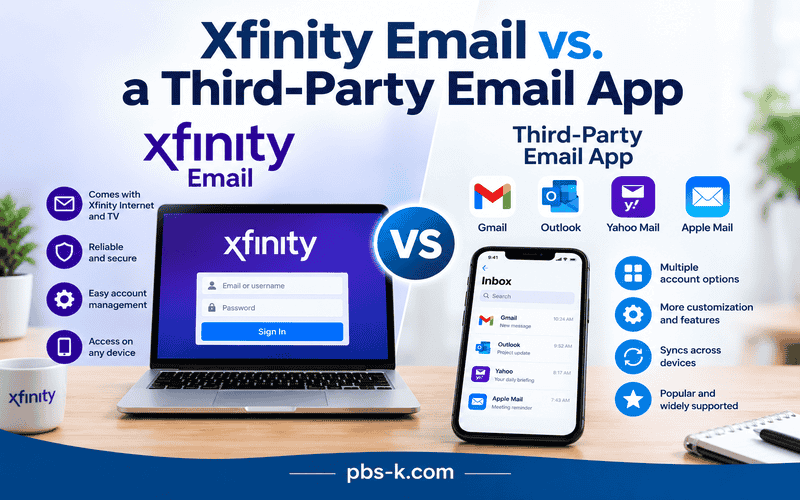
These are not necessarily competing email services.
Xfinity Email refers to the mailbox and its web-based experience, while Outlook, Apple Mail, Thunderbird, and similar applications can act as programs that connect to the mailbox.
For example, you could access the same Comcast.net mailbox through a web browser and an IMAP-connected email application.
The important thing is to use the correct account and server configuration for the platform currently providing your email service.
What If You No Longer Have Xfinity Internet?
Xfinity’s documentation indicates that existing Comcast.net email users may continue using their email even after disconnecting Xfinity Internet or Xfinity Voice, although there are restrictions around creating additional email accounts.
This distinction matters if you are a former Xfinity customer who still relies on an old Comcast.net address.
If the address is important to you, keep it active and follow Xfinity’s current account-activity guidance.
Conclusion
Xfinity Email remains an important access point for people who use Comcast.net email addresses, but the service is changing as Xfinity gradually offers eligible users a move to Yahoo Mail.
For everyday access, start with the official Xfinity login page. If you have trouble sending or receiving messages, check your password, storage, spam folder, and email application settings before making major changes.
If you receive a Yahoo Mail migration invitation, verify it through a secure Xfinity login and review important settings such as filters and forwarding during the transition.
The simplest approach is to keep your account credentials secure, use the correct mail-server settings for your current platform, and rely on official Xfinity or Yahoo documentation when account changes are involved.
FAQs
How do I access Xfinity Email?
Go to connect.xfinity.com and sign in with your Xfinity ID and password. If your Comcast.net account has already been migrated to Yahoo Mail, follow the Yahoo Mail access instructions provided after migration.
What is the Xfinity Email login?
The main webmail access point for an active Comcast.net mailbox is connect.xfinity.com. Xfinity requires your Xfinity ID and password for sign-in.
What is the difference between Xfinity Email and Comcast Email?
In everyday use, these terms often refer to the same Comcast.net email service. Comcast.net is the domain used in the email address, while Xfinity is the brand providing the associated service.
What are the Xfinity IMAP settings?
Xfinity’s published settings use imap.comcast.net as the incoming IMAP server, normally with port 993 and SSL enabled.
What are the Xfinity SMTP settings?
The outgoing server is smtp.comcast.net. Xfinity documents secure outgoing ports including 587 and 465, depending on the application and encryption options available.
Why is my Xfinity Email not working?
Start by checking your internet connection, Xfinity ID and password, mailbox storage, Spam folder, and email application settings. Testing the mailbox through webmail can help determine whether the problem is with the account or your email application.
Is Comcast.net email moving to Yahoo Mail?
Xfinity is offering eligible Comcast.net email users an upgrade to Yahoo Mail. Xfinity says invitations are being rolled out gradually through 2026.
Will my Comcast.net email address change after moving to Yahoo Mail?
No. Xfinity says the existing Comcast.net email address remains the same after the Yahoo Mail upgrade.
Will my old emails move to Yahoo Mail?
Xfinity says messages, folders, and contacts are transferred as part of the migration, although it provides specific guidance about oversized attachments and unusually large numbers of folders or contacts.
Can I use Outlook with Xfinity Email?
Yes. Xfinity provides instructions for configuring third-party email applications such as Outlook. If your Comcast.net account has migrated to Yahoo Mail, you need to use the appropriate Yahoo Mail configuration instead.
How much storage does Xfinity Email provide?
Xfinity’s published documentation states that Xfinity Email provides 10 GB of email storage.
How can I protect my Xfinity Email account?
Use a unique password, enable two-step verification, avoid suspicious links and attachments, and access your account directly through the official Xfinity website when you are unsure about an email.
How do I recognize a fake Xfinity email?
Look for suspicious sender addresses, urgent demands, unexpected attachments, requests for passwords or payment information, and links leading to unfamiliar websites. When uncertain, access Xfinity directly instead of using the message’s link.
External Sources
The strongest references for this article are Xfinity’s own support resources: