Introduction
Amazon allows shoppers to follow creators, influencers, brands, and other accounts to discover product recommendations and content they enjoy. However, finding the list of accounts you already follow is not always straightforward. Amazon’s menus can vary depending on your device, account, and marketplace.
If you want to learn how to find who you’re following on Amazon, the easiest starting point is to open Amazon’s following page while signed in to your account. You can also look for the following section in the Amazon Shopping app or your account profile.
This guide explains how to find your Amazon following list on a computer or phone, how to revisit followed storefronts, how to unfollow accounts, and what to do if the usual options are missing.
How to Find Who You’re Following on Amazon
The quickest method is to open Amazon’s following page directly. If you use the US Amazon website, try the following steps.
- Open Amazon.com in your web browser.
- Sign in to the Amazon account you used to follow people or brands.
- Open the Amazon following page.
- Check whether your followed accounts appear.
- Select an account to visit its profile or storefront, if the option is available.
This direct link is a useful shortcut when the following section is difficult to find through Amazon’s menus. However, Amazon can change its pages, and the link may behave differently across marketplaces or account types.
If the page does not load your list, try the account and profile navigation methods below.
How to See Who You Follow on Amazon Using a Computer
If you prefer using a laptop or desktop computer, you can look for your followed accounts through your Amazon account settings.
Method 1: Open Your Following List Directly
This is a convenient option if you do not want to search through several menus.
- Open your browser and visit Amazon.com.
- Sign in to your account.
- Open the direct following link in the same browser.
- Review the accounts displayed on the page.
- Select a creator, author, brand, or storefront to view more information.
Tip: Bookmark the following page in your browser if it works for your account. You can then return to it without repeating the navigation steps.
Method 2: Find the List Through Your Amazon Account
If the direct link does not work, try locating the option manually.
- Visit Amazon.com and sign in.
- Hover over Account & Lists in the top navigation.
- Select Account or Your Account, depending on the interface.
- Look for Ordering and shopping preferences or Your shopping preferences.
- Check for an option related to Who You Follow, Following, or View Your Follows.
- Open that option to see whether your followed accounts are listed.
The exact wording and location can change. If you cannot find these options, use the direct link or try the mobile app instead.
How to Find Who You’re Following on the Amazon App
You can also look for followed accounts using the Amazon Shopping app on an iPhone or Android phone.
The app’s layout may differ by version, so the following steps describe common navigation options rather than a guaranteed path for every account.
Steps for iPhone and Android
- Open the Amazon Shopping app.
- Sign in to the account you used when following the creator or brand.
- Tap the person-shaped profile icon or open the account section.
- Look for Your Account, Your Profile, or a similar profile option.
- Scroll through the available sections and look for Following, Who You Follow, or See More Updates.
- Open the relevant section to view the accounts available to you.
If you find a list of followed accounts, tap a name to open its profile or storefront.
What if the option is missing? Do not assume your follows have been deleted. Amazon sometimes changes its navigation, and different users may see different menus. Try the direct following link in your phone’s browser as an alternative.
How to Find Amazon Influencers and Storefronts You Follow
Sometimes, you may not remember an influencer’s name but want to revisit a product collection you saw earlier. In that situation, checking your followed accounts is often more useful than searching through individual product listings.
Follow these steps:
- Open your Amazon following list using the direct link or profile navigation.
- Look for the creator or influencer you remember following.
- Select the account to open its available profile or storefront.
- Browse the creator’s product recommendations, lists, or other published content.
Amazon influencer storefronts can contain curated product collections, which may help you find items you previously discovered.
If you cannot locate the creator in your following list, try searching Amazon for the person’s name or public username. You can also check a creator’s social media profile for a current Amazon storefront link.
Keep in mind that a creator may change their public name, update their storefront, or stop making content. A missing result does not necessarily mean you never followed that person.
How to Find Brands and Authors You Follow on Amazon
Amazon following is not limited to influencers. Depending on the account and feature, you may also follow brands, authors, and other profiles.
The process is similar:
- Sign in to your Amazon account.
- Open the following page or the relevant profile section.
- Look for the brand, author, or account you want to revisit.
- Select the profile to see its available information and content.
For example, if you follow an author because you enjoy their books, checking your following list may help you return to their profile. Similarly, following a brand can make it easier to revisit its Amazon presence.
The accounts shown and the information available may differ depending on your Amazon marketplace and the type of profile you follow.
How to Find Amazon Live Content From People You Follow
If you are mainly interested in livestreams, you may want to open Amazon Live rather than your general following list.
Visit Amazon Live Following while signed in to your account.
This page is intended for viewing Amazon Live content associated with followed creators, where available. It is different from the general following page, so it may not be the best place to manage every account you follow.
Use the two pages for different purposes:
| Page | Best use |
|---|---|
| Amazon Following | Finding accounts you follow |
| Amazon Live Following | Exploring relevant livestream content |
If either page does not display the expected information, check that you are using the correct Amazon account and marketplace.
How to Unfollow Someone on Amazon
After finding your following list, you may want to remove accounts you no longer care about.
Here is how to approach it:
- Open your Amazon following list.
- Find the account you want to unfollow.
- Open its profile or locate the following control beside its name, if available.
- Select Following, Unfollow, or the relevant control to stop following the account.
- Check the page to confirm that the account is no longer marked as followed.
The wording and placement of the unfollow control may vary. If the option is not available in your list, visit the account’s profile or storefront and check whether it provides a following control.
Review the account carefully before unfollowing it, especially if several creators have similar names.
Why Can’t I Find My Amazon Following List?
If your following list is missing, there are several possible explanations. The problem does not automatically mean your account has lost its followed accounts.
Amazon Changed Its Menu Layout
Amazon updates its website and app interface over time. An option that previously appeared under your profile may now be in another section or may not be displayed prominently.
What to do: Try the direct following link first, then check the account and profile sections.
You Are Signed In to the Wrong Account
Many people have more than one Amazon account or use different accounts for personal and household purchases.
What to do: Check the signed-in account and switch to the one you originally used to follow the creator or brand.
You Are Using a Different Amazon Marketplace
Amazon operates separate marketplaces, such as Amazon.com, Amazon.co.uk, and Amazon.ca. Features and navigation may not work identically across these sites.
What to do: Use the marketplace where you originally followed the account. If you shop through a regional Amazon website, do not assume a US-specific link will work in exactly the same way.
The Amazon App Needs Updating
An older version of the app may display different navigation options from a newer release.
What to do: Check your device’s app store for an available Amazon Shopping app update. Then reopen the app and look for the profile or following section again.
The Direct Link Does Not Display Your Accounts
A direct link may fail to load correctly because of a sign-in issue, a changed page, or a marketplace limitation.
What to do:
- Sign in again and reopen the link.
- Try the link in a regular browser rather than an in-app browser.
- Open Amazon’s account menu and look for profile-related options.
- Search for the creator’s name if you only need to revisit one storefront.
If none of these options works, consult Amazon Customer Service for assistance with your account.
Tips for Managing Your Amazon Following List
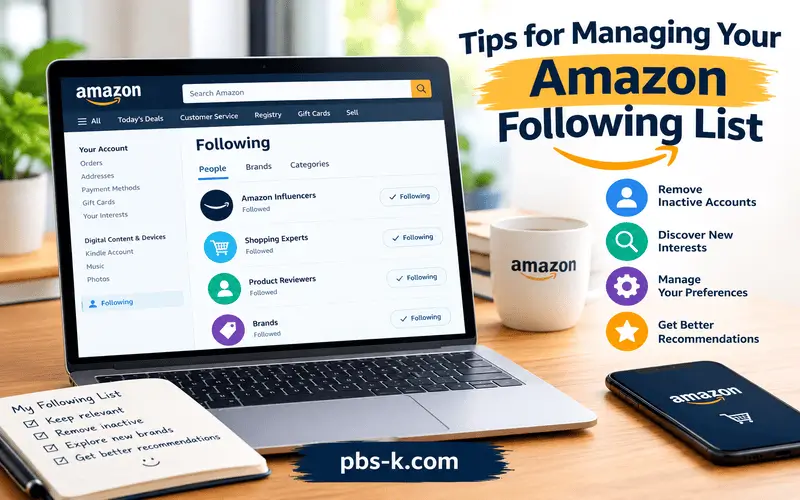
Once you find your followed accounts, a few simple habits can make them easier to manage.
- Review your list occasionally. Remove accounts that no longer interest you.
- Save useful storefronts. Bookmark creators you frequently revisit, where appropriate.
- Use the correct account. This helps avoid confusion when a follow appears to be missing.
- Search by name when necessary. If the following page is unavailable, searching for a creator’s name may help you find the storefront.
- Distinguish following from browsing history. Viewing a product or visiting a storefront is not necessarily the same as following an account.
- Check the relevant content page. If you want livestreams, Amazon Live may be more useful than the general following list.
These steps can help you find the content you want without repeatedly navigating through Amazon’s changing menus.
Conclusion
The easiest way to learn how to find who you’re following on Amazon is to start with the direct following page while signed in to the correct account. If that does not work, check the profile and account sections of the Amazon website or Shopping app.
You can use your following list to revisit creators, influencers, brands, and other accounts, where supported. If an account is missing, check your sign-in details, marketplace, and app version before assuming that your follows have disappeared.
FAQs
How do I find who I’m following on Amazon?
Sign in to your Amazon account and open the Amazon following page. If the list does not appear, check the account or profile sections of the website or app.
Can I see who I follow on Amazon using my phone?
Yes, where the feature is available. Open the Amazon Shopping app, tap the profile or account icon, and look for a Following or Who You Follow section. You can also try the direct following link in your mobile browser.
Why can’t I see the Who You Follow option on Amazon?
Amazon’s interface can vary by marketplace, account, and app version. The option may be located elsewhere or may not appear in your current layout. Try the direct link and confirm that you are signed in to the correct account.
How do I find an Amazon influencer I previously followed?
Open your following list and look for the influencer’s name. If you cannot find it, search Amazon for the person’s name or public username and check their storefront.
Can I unfollow someone on Amazon?
Yes, if the relevant following control is available. Open the account’s profile or storefront, find the Following or Unfollow control, and use it to stop following the account.
Can I see the Amazon brands I follow?
You may be able to find followed brands through the general following page or the relevant account section. The available list and navigation can vary by marketplace and account.
Is Amazon Live Following the same as my Amazon following list?
No. The general following page is intended to help you find accounts you follow, while Amazon Live Following focuses on livestream content associated with followed creators.
Does following an Amazon influencer mean I bought something from them?
No. Following an influencer or creator is different from purchasing a product. A follow helps you revisit or discover their content, while purchases are recorded separately in your order history.