
Introduction
A payment window is an important part of many online transactions. It can refer to the screen where you enter your payment details, choose a payment method, and confirm a purchase. In other situations, the term describes the amount of time you have to complete a payment before a transaction expires.
Understanding the payment window can help you complete online purchases, pay invoices on time, and troubleshoot checkout problems. It can also help business owners understand how payment pages work and what customers experience during checkout.
The exact meaning depends on the payment service or website you are using. Some payment windows appear inside a shopping website, while others open on a separate payment provider’s page. Some also have a time limit.
This guide explains the different meanings of a payment window, how the process works, how to handle expired or failed payments, and how to recognize potential security risks.
What Is a Payment Window?
A payment window is either an online interface used to complete a transaction or a defined period during which a payment can be made.
In online shopping, it usually means the payment screen that appears after you select a product and proceed to checkout. The screen may ask you to choose a payment method, enter card information, verify your identity, or confirm the amount.
For example, when you buy a product from an online store, you might be redirected to a payment provider or see a payment form displayed on the same website. That form is commonly called a payment window.
In billing and financial systems, the term can have a different meaning. A payment window may be a deadline or period during which an invoice, installment, fee, or other obligation must be paid.
These meanings are related, but they are not interchangeable. The surrounding message and the service using the term determine which meaning applies.
How Does a Payment Window Work?
An online payment window connects the customer’s checkout experience with the service responsible for processing the transaction.
Although the exact steps vary by provider, a typical online payment follows this process.
1. Start the Payment
You select a product, service, invoice, or order and choose the option to pay. The website prepares a payment request containing information such as the amount and currency.
2. Open the Payment Window
The website displays a payment form or sends you to a payment provider’s page. Some providers use an embedded window, while others open a separate page.
3. Choose a Payment Method
Depending on the merchant and provider, available options may include a debit card, credit card, bank transfer, or digital wallet.
Not every payment window supports every payment method. Availability can depend on the country, currency, merchant settings, and provider.
4. Enter the Required Details
You provide the requested information, which may include card details, billing information, or other verification details. Follow the instructions shown by the legitimate payment provider.
5. Complete Any Required Verification
Your bank may ask you to approve the transaction through an authentication screen, banking app, one-time code, or another verification method.
This extra step helps the bank determine whether the transaction should proceed.
6. Wait for Payment Confirmation
The payment provider processes the request and reports the result. If the transaction succeeds, the website may display a confirmation message or provide a receipt.
If the payment fails, remains pending, or requires additional action, the next steps depend on the payment method and provider.
For example, Paysera documents both an embedded card payment window and a redirect-based checkout process. Its documentation also explains why businesses should verify payment status through server-side notifications rather than relying only on what appears in the browser.
What Is the Difference Between a Payment Window and a Payment Deadline?
A payment window can describe either a screen or a period. Knowing the difference helps you understand what a website is asking you to do.
| Term | Meaning | Example |
|---|---|---|
| Payment window | A screen used to complete a transaction | A card form displayed during checkout |
| Payment period | The time allowed to make a payment | An invoice that must be paid within 30 days |
| Payment deadline | The final date or time for payment | An invoice due on November 15 |
| Payment timeout | The point at which an active payment session expires | A checkout session that expires if you do not finish |
| Payment confirmation | A message or record showing the reported payment result | An order confirmation after successful payment |
The duration of a payment period is not universal. A payment provider may set a short checkout timeout, while an invoice may allow several days or weeks for payment.
Always check the specific terms displayed by the website, bank, merchant, or billing service.
How Long Does a Payment Window Stay Open?
There is no single time limit for every payment window.
Some payment pages remain available until you finish or close them. Others expire after a specified period of inactivity. A payment link or checkout session may also have a fixed expiration time set by the merchant or payment provider.
For example, GoPay documents a default 12-hour period for selecting a payment method in a particular stage of its payment process. That is a provider-specific rule, not a standard that applies to every online payment.
The time limit can depend on several factors:
- Payment provider: Each provider may have its own expiration rules.
- Payment method: Card payments and bank transfers may follow different processes.
- Merchant settings: A business may configure how long a payment request remains valid.
- Security requirements: Some transactions require additional verification within a limited period.
- Invoice terms: A billing deadline may be separate from the lifetime of the payment page.
If the window expires, return to the original website and check the payment or order status before starting another transaction.
What Happens When a Payment Window Expires?
When a payment window expires, you may no longer be able to use that particular session or payment link.
Depending on the service, you might see an expiration message, return to the checkout page, or need to generate a new payment request.
An expired window does not always mean that the payment failed. For example, you may have submitted the payment just before the session ended, but the confirmation may not yet have appeared.
Follow these steps if your payment window expires:
- Check your bank account or payment app for a completed or pending transaction.
- Return to the original merchant website using its normal navigation.
- Review your order history or payment status.
- If the order remains unpaid, use the merchant’s official option to retry or create a new payment request.
- Contact the merchant or payment provider if the transaction status remains unclear.
Avoid repeatedly submitting the same payment without checking its status. Doing so can create duplicate charges or payment attempts.
Why Is My Payment Window Not Opening?
A payment window may fail to open because of browser settings, an interrupted internet connection, a temporary provider issue, or a problem with the checkout session.
Common causes include:
- Pop-ups are blocked: The browser may prevent a payment window from opening in a new tab or window.
- Unstable internet: A weak connection can interrupt the checkout process.
- Expired session: The payment request may no longer be valid.
- Browser compatibility: An outdated browser or incompatible setting may interfere with the payment page.
- Extensions or privacy settings: Certain extensions may block scripts, redirects, or embedded content required by checkout.
- Provider maintenance: The payment service may be temporarily unavailable.
- Incorrect payment setup: For a business website, a configuration error can prevent the checkout interface from loading.
How to Fix a Payment Window That Will Not Open
Try these steps in order:
- Refresh the original checkout page once.
- Confirm that your internet connection is working.
- Check whether the browser has blocked a pop-up or redirect.
- If you trust the merchant and the payment flow, allow the necessary pop-up or redirect for that specific site.
- Try an updated browser or another device.
- Return to the merchant’s website and start a fresh checkout session if necessary.
- Contact the merchant if the issue continues.
Do not disable all browser security features or install unfamiliar software just to open a payment page. If the page looks suspicious, stop and verify the payment link with the merchant.
Why Does a Payment Window Say Payment Failed?
A failed payment means the transaction was not completed successfully according to the information available at that point. The exact reason may not always be visible to the customer.
Possible causes include:
- Insufficient available funds.
- Incorrect card information.
- An expired card.
- A bank declining the transaction.
- An unsuccessful authentication step.
- A payment method that is not supported.
- A temporary connection or payment processor problem.
- An expired checkout session.
What Should You Do After a Failed Payment?
First, read the error message carefully. If it identifies an issue with the card or authentication, correct the problem before trying again.
If the message is unclear, check your banking app for a pending or completed transaction. A failed checkout message alone may not tell you whether the bank has placed a temporary authorization hold.
If money appears to have been deducted, do not immediately submit the same payment again. Check whether the merchant recorded the order and contact the merchant or payment provider if necessary.
A payment can also remain pending while the provider or bank completes processing. The time required to resolve it depends on the payment method and the institutions involved.
Is an Online Payment Window Safe?
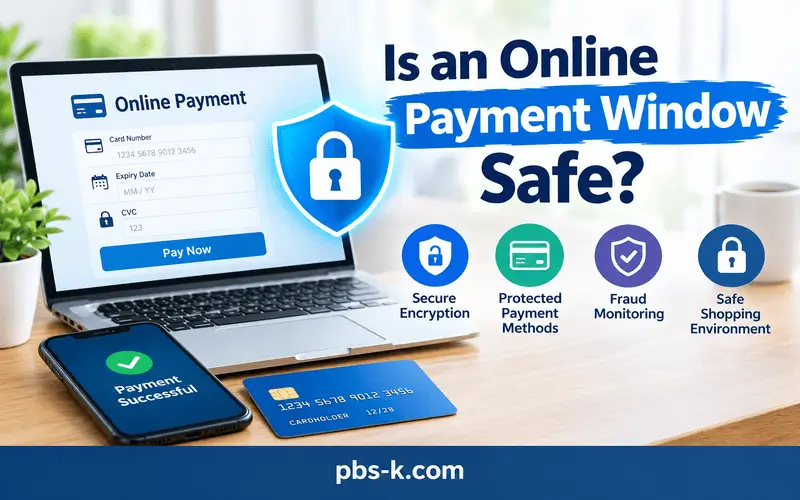
An online payment window can be part of a secure checkout process, but its appearance alone does not prove that it is safe.
Legitimate merchants often use payment service providers to handle sensitive payment information. Depending on the integration, customers may be redirected to a provider’s website or see a payment form embedded in the merchant’s page.
Using a third-party provider can help limit how payment information is handled by the merchant’s systems. However, it does not eliminate every security risk or automatically guarantee that a transaction is legitimate.
Follow these precautions before entering payment details:
- Check the website address. Confirm that the domain belongs to the merchant or its expected payment provider.
- Look for a secure connection. HTTPS helps protect data in transit, but it does not prove that a website is trustworthy.
- Verify unexpected payment links. If a link arrives by email or text, navigate to the service’s official website or contact the business through a known channel.
- Review the amount. Make sure the displayed total matches your intended purchase or bill.
- Never share one-time codes with strangers. Enter authentication codes only in the legitimate verification flow.
- Avoid public or shared devices for sensitive transactions. If you must use one, do not save payment information and sign out afterward.
- Keep the receipt. Save the transaction reference or confirmation for future questions.
The PCI Security Standards Council provides guidance on protecting payment card information and securing online payment pages. Merchants should also follow the security requirements that apply to their payment setup.
What Is a Payment Window Used for in Business?
Businesses use payment windows to collect money for products, services, subscriptions, invoices, and other transactions.
A payment window can make checkout more convenient by connecting a customer to a payment provider without requiring the business to build every payment function itself.
Common uses include:
- Online stores: Customers pay for products at checkout.
- Service businesses: Customers settle invoices or service charges.
- Subscription platforms: Customers provide or update payment details for recurring billing.
- Booking websites: Customers pay deposits or reservation fees.
- Billing portals: Customers pay outstanding balances through an account page.
- Customer accounts: Users manage available payment methods or complete a requested transaction.
For business owners, the important consideration is not only how the payment form looks. The full process should handle payment status correctly, explain failures clearly, and protect sensitive information.
A business should confirm successful payment through its payment provider’s documented confirmation process before marking an order as paid or releasing goods and services. A customer returning to a success page is not always sufficient proof that payment has settled.
Common Payment Window Mistakes to Avoid
Small mistakes can delay checkout or create confusion about whether a transaction succeeded.
Closing the page too early: If verification or processing is still underway, closing the page may interrupt the customer experience. Follow the instructions on screen and check the final status afterward.
Ignoring the expiration message: An expired session may require a new payment request. Do not assume an old link remains valid.
Paying again without checking: If a payment appears to fail, confirm its status before attempting another payment.
Trusting a page because it looks professional: Fraudulent websites can copy the appearance of legitimate checkout pages. Verify the domain and the source of the link.
Confusing authorization with final payment: Some transactions initially show a pending status or temporary authorization. The final result may take longer to appear.
Ignoring the receipt: Keeping the transaction reference, amount, date, and merchant name makes it easier to investigate a disputed or missing payment.
How to Check Whether a Payment Was Successful
If you are unsure whether your payment went through, use more than one reliable indicator where possible.
- Check the confirmation message from the merchant or payment provider.
- Look for an order number, transaction reference, or receipt.
- Review the transaction in your bank or payment app.
- Open the merchant’s official order history or account dashboard.
- If the records disagree, contact the merchant or provider with the transaction details.
A bank notification and a merchant order status may update at different times. Some payment methods also involve delayed confirmation, so the absence of an immediate receipt does not always mean the payment failed.
Never send a full card number, security code, password, or one-time authentication code when requesting help. Provide only the information the official support channel needs to identify the transaction.
FAQs
What Is a Payment Window?
A payment window is a screen where a customer completes an online transaction, or a defined period during which a payment must be made. Its precise meaning depends on the website, payment provider, or billing system.
How Does a Payment Window Work?
An online payment window displays the available payment options and collects the information needed to process a transaction. The customer submits the payment, completes any required verification, and receives a result when the provider reports the transaction status.
How Long Does a Payment Window Stay Open?
The duration depends on the payment provider, merchant settings, payment method, and transaction type. Some sessions expire after a set period, while others remain available until the payment is completed or the session is closed.
What Happens If My Payment Window Expires?
The payment link or checkout session may become invalid. Check your bank account and order status before creating a new payment request to avoid submitting the same payment twice.
Why Is My Payment Window Not Opening?
Common causes include blocked pop-ups, an unstable internet connection, an expired session, browser compatibility problems, or a temporary payment provider outage. Check the browser settings and try starting a new session through the merchant’s official website.
Is a Payment Window the Same as a Payment Gateway?
No. A payment window is the customer-facing screen or interface used to complete a transaction. A payment gateway is the technology that helps transmit and process payment information. The two may work together, but they are not the same thing.
Can I Trust Every Online Payment Window?
No. A payment window can be legitimate, but fraudulent websites may imitate real checkout pages. Verify the website address, check the payment amount, and use a trusted route to access the merchant before entering sensitive information.
Why Does My Payment Say Pending?
A pending status may mean the transaction is awaiting confirmation or further processing. Check the merchant’s order status and your bank or payment app. If the status does not resolve within the provider’s stated timeframe, contact official support.
Does Closing a Payment Window Cancel the Payment?
Not necessarily. Closing a window may interrupt the checkout process, but a payment already submitted could still be processing. Check the transaction status before attempting another payment.
How Can I Confirm That My Payment Was Successful?
Look for a confirmation message, receipt, transaction reference, or updated order status. You can also review your bank or payment app. If these records disagree, contact the merchant or payment provider before paying again.
What Should I Do If Money Was Deducted but the Order Failed?
Save the transaction reference and check whether the payment is pending, completed, or reversed. Contact the merchant or payment provider through an official support channel. Do not assume that the money is permanently lost or that it will be refunded immediately, because resolution times vary.
Conclusion
A payment window can refer to an online checkout screen or the time allowed to complete a transaction. Understanding which meaning applies helps you use payment services correctly and resolve common problems.
If a payment window fails to open or expires, check the session, review your transaction status, and return to the merchant’s official website if you need to try again. Always verify whether a payment succeeded before submitting it a second time, and protect your financial information throughout the process.