
Introduction
Are you trying to access your Edward Jones account but getting an error message, a blank screen, or a login page that refuses to load? You might be wondering, is Edward Jones having login issues, or is something wrong with your device?
Edward Jones provides online account access and a mobile app that allow clients to view account information, manage financial documents, track goals, and stay connected with their financial advisors. When these services stop working, it can be frustrating, especially when you need important financial information.
As of November 13, 2026, independent website-monitoring services are not showing a widespread Edward Jones outage. However, this does not guarantee that every login feature is working for every customer. Temporary problems, regional connection issues, browser errors, and individual account restrictions can still prevent access.
The good news is that many login problems can be resolved with a few simple troubleshooting steps.
This guide explains how to check Edward Jones service availability, identify common login problems, reset your password, troubleshoot the mobile app, and contact the company’s support team.
Is Edward Jones Having Login Issues Right Now?
There is no confirmed widespread Edward Jones login outage in the available monitoring information as of November 13, 2026.
Independent outage-monitoring websites currently indicate that the main Edward Jones website is responding normally and have not identified a significant increase in recent outage reports.
However, website availability and account login availability are not exactly the same thing. The homepage might load correctly while the account dashboard or another online feature experiences a temporary problem.
If you cannot sign in, consider these possibilities:
- Temporary service disruption: Edward Jones may be experiencing a short-lived technical issue.
- Incorrect login information: Your user ID or password may not match the information on file.
- Browser problems: Outdated software, cookies, or cached data may interfere with the login page.
- Internet connection issues: An unstable connection can prevent the website or app from loading.
- Account security restrictions: Your account may require additional verification or assistance.
- Mobile app problems: An outdated application or unsupported device may cause errors.
It is worth checking the official login page before changing your password or making other account changes.
You can visit the Edward Jones Online Access login page to see whether the sign-in service is responding.
How to Check Whether Edward Jones Is Down
Before troubleshooting your device, determine whether the problem affects other customers too.
Here are several practical ways to check.
1. Visit the Official Edward Jones Website
Start by opening the Edward Jones website directly.
Visit https://www.edwardjones.com/ and navigate to Online Access.
If the homepage loads but the account login page does not, the issue may be limited to the online account service rather than the entire website.
Avoid accessing your account through unfamiliar links in emails, text messages, or advertisements.
2. Check Independent Outage Reports
Third-party monitoring websites collect user reports and sometimes test whether a website is responding.
Two places to check are:
- Outage.gg Edward Jones Status
- UpdownRadar Edward Jones Status
Look for a sudden increase in reports about login failures, connection problems, or website errors.
Remember that these services are not official Edward Jones status pages. They cannot confirm every internal system problem, and a normal status reading does not guarantee that your individual account is accessible.
3. Try Another Device or Browser
Open the Edward Jones login page using another browser or device.
For example:
- If Chrome is not working, try Microsoft Edge or Firefox.
- If the website fails on your computer, try your smartphone.
- If your phone is connected to Wi-Fi, test a trusted mobile data connection.
If the login page works on another device, the problem may be related to your original browser, network, or device settings.
4. Ask Your Financial Advisor
If you cannot determine whether the problem is widespread, contact your Edward Jones financial advisor.
Your local branch team may be able to help you determine whether the issue involves your account or a broader technical problem.
Why Is My Edward Jones Login Not Working?
There are several reasons why Edward Jones may reject your login or fail to open your account dashboard.
Understanding the specific problem can help you choose the right solution instead of repeatedly trying different passwords.
Incorrect User ID or Password
One of the simplest explanations is incorrect login information.
Edward Jones states that its user IDs are not case-sensitive, but passwords are case-sensitive.
For example, if your password contains capital letters, entering those letters in lowercase can prevent you from signing in.
Check the following:
- Make sure Caps Lock is turned off.
- Check whether Num Lock is enabled when using the numeric keypad.
- Look for accidental spaces before or after your password.
- Avoid relying on outdated saved credentials.
- Type your login details manually.
Edward Jones also recommends clearing automatically filled credentials if they are causing login problems.
Browser Cache and Cookie Problems
Your browser stores temporary information to make websites load faster.
However, outdated or corrupted cookies and cached files can sometimes interfere with website functions.
This may cause the Edward Jones login page to freeze, display errors, or repeatedly reload.
Clearing your browser’s cookies and cached files can help resolve the issue.
You may also try opening the website in a private or incognito window. If it works there, browser data or an extension could be responsible.
Outdated Browser or Operating System
Edward Jones requires supported browser and mobile operating system versions to provide secure and functional Online Access.
Its published browser guidance supports the two most recent major versions of Google Chrome, Microsoft Edge, and Safari, along with current Firefox and its extended support release.
Edward Jones also lists Android 13 or higher and iOS 18 or higher as minimum mobile operating system requirements.
Older software may prevent certain account features from working correctly.
Updating your browser or operating system may resolve compatibility problems.
Unstable Internet Connection
A weak internet connection can prevent the login page from loading completely.
You might experience:
- A blank login screen.
- A spinning loading symbol.
- A connection timeout.
- An error while submitting your login information.
- Repeated page refreshes.
Try restarting your router or switching to another trusted internet connection.
If you use a VPN, temporarily disconnect it and try again. Edward Jones lists a direct Wi-Fi or cellular connection without anonymizing VPNs among its mobile access requirements.
Temporary Server or Maintenance Problems
Sometimes the problem is not on your side.
Edward Jones may temporarily restrict access while performing maintenance or addressing a technical issue.
During a disruption, you might experience slow loading, failed login attempts, or an unavailable account dashboard.
If other customers are reporting similar problems, wait a little before trying again.
Repeatedly submitting your login information is unlikely to fix a server-side problem.
Account Security or Access Restrictions
Financial institutions use security measures to protect account information.
If Edward Jones cannot verify your login or identifies a situation requiring additional security checks, you may need assistance from its support team.
Do not assume that every failed login means your account has been compromised.
If you receive an unfamiliar security notification, or suspect someone else has accessed your account, contact Edward Jones through a verified contact method.
7 Ways to Fix Edward Jones Login Problems
If Edward Jones is not experiencing a widespread outage, try these troubleshooting methods.
1. Refresh the Login Page
Start with the simplest solution.
Close the Edward Jones login page and open it again using the official website.
You can also refresh the page or close and reopen your browser.
If the problem was caused by a temporary loading error, this may be enough to restore access.
2. Enter Your Login Details Manually
Saved passwords and autofill tools sometimes use outdated information.
Delete the automatically entered credentials from the login fields and type your user ID and password manually.
Remember that your password is case-sensitive, so check the capitalization carefully.
Do not share your password with anyone claiming to offer technical support.
3. Clear Your Browser Cache and Cookies
If the login page keeps freezing or displaying an error, clear the browser’s temporary data.
In Google Chrome:
- Open Chrome.
- Select the three-dot menu.
- Choose Settings.
- Open Privacy and security.
- Select Delete browsing data.
- Choose an appropriate time range.
- Select cached images and files and cookies, if needed.
- Confirm the deletion.
- Reopen the Edward Jones login page.
You may need to sign in again to other websites after deleting cookies.
If you do not want to remove your existing browser sessions, first test the Edward Jones website in an incognito window.
4. Update Your Browser
Check whether your browser is running a supported version.
Edward Jones recommends keeping browsers updated and no longer supports Internet Explorer or certain older browser versions.
You can update Chrome by opening Settings, selecting About Chrome, and allowing available updates to install.
After updating, restart your browser and try accessing your account again.
5. Check Your Internet Connection
Test another website to determine whether your internet connection is working normally.
If other websites are also slow or unavailable, your network may be responsible.
Try these steps:
- Restart your router.
- Reconnect your device to Wi-Fi.
- Test a different trusted network.
- Temporarily disable a VPN.
- Restart your phone or computer.
Avoid using public Wi-Fi for sensitive financial account access whenever possible.
6. Reset Your Edward Jones Password
If you cannot remember your password or repeatedly receive an incorrect-password message, use the official password recovery option.
Follow these steps:
- Open the Edward Jones Online Access login page.
- Select the Forgot user ID or password option.
- Follow the identity verification instructions.
- Complete the password reset process.
- Return to the login page.
- Enter your updated credentials.
If you have also forgotten your user ID, use the same recovery area to find it.
Only enter personal information on the genuine Edward Jones website. Never share verification codes or account recovery information with someone who contacts you unexpectedly.
7. Contact Edward Jones Support
If none of these solutions works, contact Edward Jones directly.
Its official Online Access login page lists the following number for Online Client Support:
800-441-5203
You can also contact your local financial advisor for account-specific assistance.
When contacting support, explain:
- Whether you are using the website or mobile app.
- What happens when you attempt to sign in.
- The exact error message, if one appears.
- Whether the problem affects other devices.
- When the issue first started.
Never include your password or full account credentials in an ordinary email or an unsecured message.
How to Fix Edward Jones App Login Problems
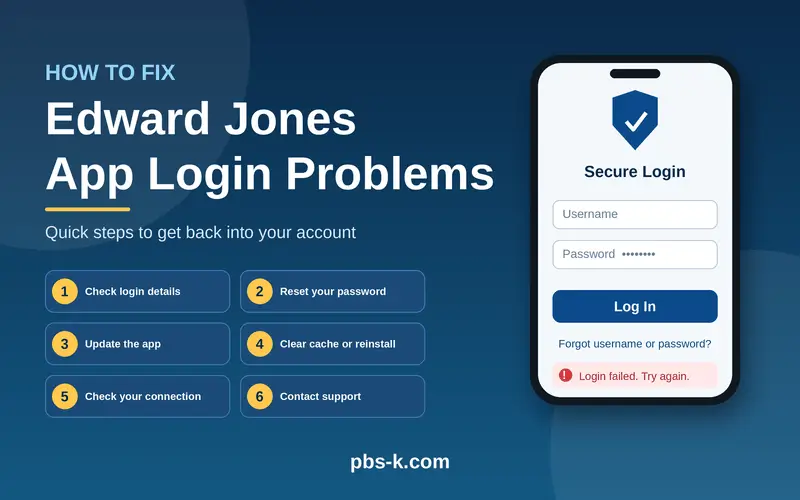
Some customers can access the Edward Jones website but cannot sign in through the mobile application.
Mobile login problems can be caused by outdated software, network restrictions, app data, or temporary technical issues.
Try the following steps.
Update the Edward Jones App
Open the Apple App Store or Google Play Store and search for Edward Jones.
If an update is available, install it and reopen the application.
An outdated version may not work properly with the latest mobile operating system or account access requirements.
Restart Your Smartphone
Restarting your phone can resolve temporary software and connection problems.
Close the Edward Jones application, restart your device, and open the app again.
Check Mobile Internet Access
Switch between Wi-Fi and cellular data to see whether the issue is network-related.
Make sure the application has permission to access the internet.
If you use a VPN or network-filtering service, temporarily disable it and test the application using a trusted connection.
Reinstall the Application
If the app continues to crash or freeze, reinstalling it may help.
- Remove the Edward Jones application from your device.
- Restart your smartphone.
- Download the application again from the official app store.
- Open it and enter your login information.
Before reinstalling, make sure you know your account credentials and can complete any required verification.
Reinstalling the application does not resolve an account-level restriction or a widespread service outage.
Common Edward Jones Login Errors and What They Mean
The exact error message can help you identify the problem.
Here is a simple reference table.
| Login problem | Possible reason | What to try |
|---|---|---|
| User ID or password not recognized | Incorrect credentials | Re-enter details or reset password |
| Login page not loading | Browser or connection issue | Try another browser or network |
| Blank screen | Cached data or browser compatibility | Clear cache and update browser |
| App keeps crashing | Outdated app or device software | Update or reinstall the app |
| Account access restricted | Security or account-specific issue | Contact Edward Jones |
| Repeated loading | Temporary service or network issue | Check outage reports and retry later |
| Login works on another device | Local device or browser problem | Update or troubleshoot the original device |
These are possible explanations, not guaranteed diagnoses. An error message alone may not identify the exact cause.
Is Edward Jones Online Access Different From the Mobile App?
Edward Jones Online Access and its mobile application provide ways to manage account information, but they are accessed through different interfaces.
Understanding the difference can help narrow down a login problem.
| Feature | Online Access website | Mobile app |
|---|---|---|
| Access method | Web browser | Smartphone or tablet |
| View account information | Yes | Yes |
| Review account documents | Yes | Yes |
| Track financial goals | Yes | Yes |
| Deposit checks | Not listed as a website feature | Yes |
| Pay bills | Yes | Not listed as an app feature |
| Contact your financial advisor | Available through Online Access features | Available through app features |
If the website works but the app does not, focus on app updates and mobile compatibility.
If neither works, investigate your account credentials, internet connection, and possible service disruption.
What Should You Do If You Need Urgent Account Assistance?
A login problem can become more serious if you need access to important financial information or have a time-sensitive account request.
If you cannot access Online Access, contact your financial advisor or Edward Jones through its official support channels.
Edward Jones also publishes emergency contact information for situations in which clients cannot reach their local branch team.
Its Client Relations number is 800-441-2357, available Monday through Friday, 7:00 a.m. to 5:00 p.m. Central Time.
According to Edward Jones, this service can assist with urgent account-related questions and urgent trade requests when the local team is unavailable.
One important distinction: Online Access is not a trading platform for placing trades. If you need to place a trade, contact your financial advisor or the appropriate Edward Jones support team.
Do not delay an urgent financial request simply because the online login page is unavailable.
How to Protect Your Edward Jones Account During Login Problems
When a financial website is not working, some people search online for alternative login links or contact information.
Be careful. Login problems can create opportunities for phishing attempts.
Follow these security practices:
- Use the official Edward Jones website rather than unfamiliar login links.
- Check that the website address begins with HTTPS.
- Never share your password or verification codes.
- Do not install software offered by an unsolicited technical support caller.
- Avoid entering financial information on public or shared computers.
- Be cautious of emails claiming your account will be closed unless you sign in immediately.
- Contact your financial advisor using a phone number you already trust.
Edward Jones explains that its Online Access uses Transport Layer Security (TLS) to help protect information transmitted between the user’s browser and its systems.
If you notice unfamiliar account activity, contact Edward Jones promptly using verified contact information.
Conclusion
If you are wondering, is Edward Jones having login issues, current independent monitoring information does not indicate a widespread website outage as of November 13, 2026. However, individual login failures and temporary service problems are still possible.
Start by checking the official Online Access page and independent outage reports. If the service appears available, troubleshoot your browser, internet connection, credentials, or mobile application.
If you still cannot access your account, use the official password recovery option or contact Edward Jones Online Client Support at 800-441-5203.
Most importantly, use verified Edward Jones channels whenever you need help with your financial account. Your account security should always come before finding a quick workaround.
FAQs
Is Edward Jones Having Login Issues Today?
Independent outage-monitoring information available on November 13, 2026, does not indicate a widespread Edward Jones outage. However, individual users may still experience login problems because of browser errors, account restrictions, or temporary technical issues.
Why Can’t I Log In to My Edward Jones Account?
You may be entering an incorrect password, using outdated saved credentials, experiencing browser problems, or encountering a temporary service disruption. Check your login details and try accessing your account through another supported browser.
Is the Edward Jones Website Down?
Current independent monitoring information does not show a significant widespread website outage. However, individual account services may experience problems even when the main website is working.
How Do I Reset My Edward Jones Password?
Visit the official Edward Jones Online Access login page and select the Forgot user ID or password option. Follow the identity verification instructions to recover your login information.
Why Is My Edward Jones App Not Working?
The mobile application may not work because of an outdated version, unsupported operating system, unstable internet connection, or temporary technical issue. Update the application, restart your device, and check your internet connection.
What Is the Edward Jones Online Client Support Number?
Edward Jones lists 800-441-5203 as its Online Client Support number on its official account login page.
Can I Access Edward Jones Without the Mobile App?
Yes. You can access your account through the official Edward Jones Online Access website using a supported web browser.
Why Does Edward Jones Keep Saying My Password Is Incorrect?
Your password may contain incorrect capitalization, an accidental space, or outdated information saved in your browser. Edward Jones passwords are case-sensitive. Try entering your password manually or use the official password recovery option.
How Do I Know If My Edward Jones Account Is Locked?
A failed login does not automatically mean your account is locked. If you receive an account restriction or security-related message, contact Edward Jones directly to confirm your account status.