
Introduction
Micro Center is a popular retailer for computers, laptops, gaming equipment, and computer components. It offers a wide selection of technology products, making it a convenient place to shop for people building PCs, upgrading their computers, or looking for new electronics.
However, not everyone lives near a Micro Center store. Some shoppers want to purchase products online and have them delivered directly to their homes.
So, does Micro Center ship?
Yes. Micro Center offers online shipping for eligible products to most states in the contiguous United States and Washington, D.C. Customers can choose from available delivery options when placing an order online.
However, not every product qualifies for shipping. Micro Center also has restrictions on certain delivery locations, including Alaska, Hawaii, international destinations, and PO Boxes.
Understanding these rules before placing an order can help you avoid checkout problems and choose the right purchasing option.
Does Micro Center Offer Home Delivery?
Yes, Micro Center offers home delivery for eligible products purchased through its website.
Customers can shop online, add qualifying products to their carts, select an available shipping method, and enter a residential or business delivery address.
This means you do not necessarily need to visit a physical Micro Center store to purchase everything the retailer sells.
However, shipping availability depends on two important factors:
- Your delivery address: Micro Center ships to most locations in the contiguous United States and Washington, D.C.
- Product eligibility: Some products are available for shipping, while others are restricted to in-store purchases.
Micro Center’s current shipping restrictions explain that customers can check individual product pages to determine whether an item qualifies for delivery.
If the shipping option is available, you can select it and continue with your online order. If it is disabled, the product may only be available for in-store purchase.
This distinction is especially important when shopping for desktop computers, large electronics, and other products with specific shipping requirements.
Where Does Micro Center Ship?
Micro Center currently ships to most states in the contiguous United States and Washington, D.C.
It also delivers to residential and business addresses in eligible locations.
However, its shipping policy excludes several destinations.
Here is a breakdown:
| Delivery location | Shipping availability |
|---|---|
| Most contiguous US states | Yes |
| Washington, D.C. | Yes |
| Alaska | No |
| Hawaii | No |
| Puerto Rico | No |
| Guam | No |
| US Virgin Islands | No |
| Canada | No |
| Mexico | No |
| Other international destinations | No |
Micro Center does not currently provide international shipping, including deliveries to Canada and Mexico.
It also excludes US territories and certain restricted address types.
These restrictions apply to its current online shipping service. Always check the checkout page for the latest eligibility information before completing a purchase. Micro Center+1
Does Micro Center Ship to Your House?
Yes. Micro Center can deliver eligible online purchases directly to residential addresses in its supported delivery areas.
You do not have to collect a qualifying shipping order from a physical store.
For example, suppose you live in Ohio and want to purchase a new gaming monitor. If the product supports shipping, you can add it to your cart, enter your home address, and select an available delivery option.
Micro Center also supports deliveries to eligible business addresses.
Before ordering, make sure:
- Your address is within the supported delivery area.
- Your selected product is eligible for shipping.
- Your shipping information is correct.
- The available delivery method meets your expectations.
A valid residential address is important because Micro Center does not currently list PO Boxes, APO addresses, or FPO addresses as supported shipping destinations.
What Shipping Options Does Micro Center Offer?
Micro Center provides different shipping speeds for eligible orders.
According to its updated shipping information, customers in the contiguous United States may see the following options:
| Shipping method | Estimated delivery time |
|---|---|
| No Rush | 7+ days |
| Standard | 5–7 days |
| Fastest | 2–3 days |
These are estimated shipping times, not guaranteed delivery dates.
The shipping countdown begins after the package has been picked up from Micro Center’s warehouse by UPS.
It is also important to understand that order processing takes additional time. Micro Center displays processing estimates on its website and shopping cart, and this information is also included in the order confirmation email.
For example, if a product requires several business days to prepare for shipment, the total time before delivery will be longer than the transit estimate alone.
Fastest delivery days are Monday through Friday. Saturdays, Sundays, and holidays are excluded from the stated delivery schedule.
How Much Does Micro Center Shipping Cost?
Micro Center does not provide one universal shipping price for every product.
The amount you pay can depend on the items you purchase, their shipping eligibility, and the available delivery methods.
The best way to find the actual shipping charge is to add your selected product to your online cart and review the available shipping options.
Follow these steps:
- Visit the official Micro Center website.
- Find the product you want to purchase.
- Check whether shipping is available.
- Add the product to your shopping cart.
- Review the available delivery methods.
- Check the shipping charges displayed during checkout.
- Review your order total before submitting payment.
Do not assume that every product qualifies for free shipping.
If a free or discounted shipping offer is available for your order, check its terms and conditions before completing the purchase.
The checkout total is the most useful place to confirm the shipping charge for your particular order.
Does Micro Center Ship Computers and Other Electronics?
Micro Center sells many types of electronic products, but not every item is eligible for delivery.
Shipping availability depends on the specific product.
Some products can be shipped directly from a fulfillment warehouse, while others are restricted to in-store purchases.
Here are examples of product categories shoppers may want to check:
| Product category | Shipping availability |
|---|---|
| Desktop computers | Depends on the specific item |
| Gaming PCs | Depends on the specific item |
| Laptops | Depends on the specific item |
| Computer monitors | Depends on the specific item |
| Graphics cards | Depends on the specific item |
| Processors | Depends on the specific item |
| Keyboards and mice | Depends on the specific item |
| Computer accessories | Depends on the specific item |
This table is a general shopping guide, not a guarantee that every product in these categories can be shipped.
How to Check Whether a Product Can Be Shipped
Micro Center provides shipping information on individual product pages.
Look for the shipping selection and the estimated delivery information.
If the shipping field is selectable and a delivery estimate appears, the product is available for shipping.
If the shipping field is greyed out, the item may be restricted to in-store purchasing.
This is a useful way to check eligibility before spending time building a shopping cart.
You can also use Micro Center’s Shippable Items selection on its website to make finding eligible products easier. Micro Center+1
How to Order From Micro Center Online for Delivery
Ordering a product for delivery is relatively straightforward.
You can complete the process through Micro Center’s website without necessarily creating a separate Insider account.
Here is how it works.
Step 1: Visit Micro Center’s Website
Go to Micro Center and browse the available products.
You can search for computer parts, gaming equipment, laptops, monitors, and other electronics.
Step 2: Select Shippable Items
Open the store selection menu near the website’s search bar.
Choose the Shippable Items option to help identify products available for delivery.
This makes it easier to avoid products that are restricted to in-store purchases.
Step 3: Choose Your Product
Find the item you want and open its product page.
Check whether the shipping option is available and review the estimated delivery information.
If shipping is supported, select the shipping option and add the product to your cart.
Step 4: Review Your Shopping Cart
Open your cart and check the available shipping methods.
Select your preferred option based on its estimated delivery time and displayed cost.
Review the products carefully to make sure your selected items qualify for shipping.
Step 5: Continue to Checkout
Micro Center allows eligible customers to sign in using an available account or continue as a guest.
You do not necessarily need to create a Micro Center Insider account to place a delivery order.
Enter your contact information and continue to the shipping details.
Step 6: Enter Your Shipping Address
Provide your complete residential or business address.
Double-check your street address, city, state, and ZIP code.
Incorrect address information can create delivery problems.
Step 7: Review Payment and Submit Your Order
Enter your payment details and review the billing and shipping information.
Check the order total, including the shipping charge and applicable taxes.
Once everything is correct, submit your order.
You should see an order confirmation page with an order number.
Micro Center may also send a verification email through its third-party verification service, Wyllo. If you receive such a request, follow the instructions promptly to help avoid processing delays.
Does Micro Center Ship to PO Boxes?
No. Micro Center’s current shipping restrictions list PO Boxes as unsupported delivery addresses.
The same restrictions apply to APO and FPO addresses and freight forwarding services.
If you are planning to order something online, use an eligible residential or business address instead.
This is worth checking before checkout because a product may be eligible for shipping while your selected delivery address is not.
If you are unsure whether your address qualifies, contact Micro Center’s online support team before placing the order.
Can You Change an In-Store Pickup Order to Shipping?
No. Micro Center does not ship orders that were originally placed for in-store pickup.
An in-store pickup reservation is designed for customers who plan to collect their products directly from the selected store.
Once you receive the pickup-ready confirmation, you must visit that location within the pickup period specified in the email.
If you decide that you would rather have the product delivered, you should contact Micro Center to ask about your available options. Do not assume the original pickup reservation can be converted into a shipping order.
You may need to place a separate shipping order if the product qualifies for delivery.
Also, some products are sold only through physical stores and cannot be shipped from a store location. Micro Center+1
How Can You Track a Micro Center Shipping Order?
After placing an online delivery order, you should receive an initial confirmation email.
Once your order has been processed and shipped, Micro Center sends another email containing tracking information.
You can use the tracking number to check the package’s progress and view the carrier’s estimated delivery date.
If your tracking number does not work, try copying and pasting it directly into the carrier’s tracking page.
Sometimes an alternative tracking number may have been generated.
If the tracking information still does not work, contact Micro Center through its online help center.
If your package shows as delivered but you cannot find it, Micro Center’s online support team can request a package investigation with the carrier.
For packages that arrive damaged or opened, contact support so the appropriate carrier claim can be started. Micro Center+1
Shipping vs. In-Store Pickup: Which Should You Choose?
Micro Center gives customers different purchasing options depending on the product and their preferences.
Shipping and in-store pickup serve different purposes.
| Feature | Online shipping | In-store pickup |
|---|---|---|
| Receive products at home | Yes | No |
| Visit a physical store | Not normally required | Required |
| Available for every product | No | No |
| Delivery address required | Yes | No |
| Shipping fee | May apply | No shipping charge |
| Product collection | Delivered to address | Collected from selected store |
Choose Shipping If:
- You live within Micro Center’s supported delivery area.
- The product is eligible for shipping.
- You cannot easily visit a physical store.
- You prefer receiving your purchase at home.
- The estimated delivery time works for you.
Choose In-Store Pickup If:
- You live near a Micro Center location.
- The item is available for pickup.
- You want to collect the product yourself.
- You prefer not to wait for a shipping carrier.
- The product is restricted to in-store purchasing.
One important detail is that pickup reservations and shipping orders are handled differently. Choose the correct option before submitting your order.
Common Problems With Micro Center Shipping
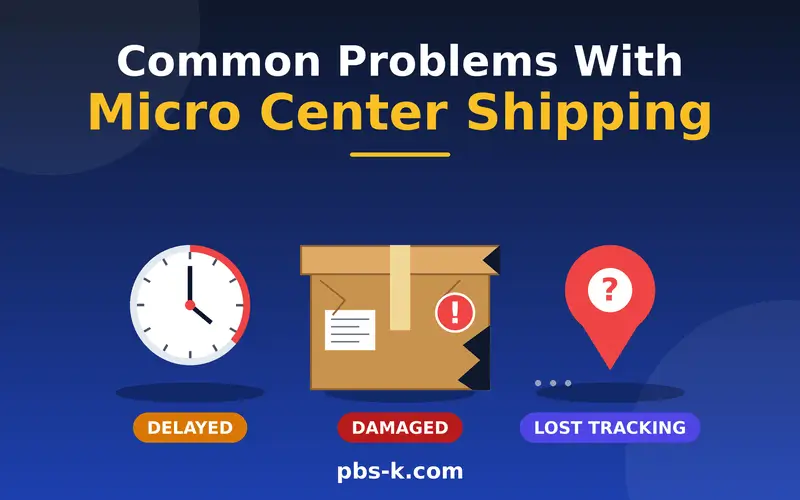
Sometimes shoppers experience problems when trying to place or receive a delivery order.
Here are a few common situations and practical ways to handle them.
Shipping Option Is Unavailable
If the shipping option is greyed out, the product may be restricted to in-store purchases.
What to do: Check the Shippable Items selection or look for a similar product that supports delivery.
Address Is Not Accepted
Your delivery address may fall outside Micro Center’s supported shipping locations.
What to do: Confirm that you are using an eligible residential or business address in a supported US location.
Order Is Taking Longer Than Expected
Processing time and shipping time are different. An item may require additional time to become available at the fulfillment warehouse before it can be shipped.
What to do: Check the processing estimate in your order confirmation email and review the tracking information once the package ships.
Tracking Number Is Not Working
Sometimes tracking information takes time to become available or an alternative tracking number is generated.
What to do: Copy the tracking number carefully and contact Micro Center support if it still does not work.
Package Shows as Delivered but Is Missing
A delivered notification does not always mean you have physically received the package.
What to do: Check around your delivery location and contact Micro Center’s online support team. They can request a package investigation with the carrier.
FAQs
Does Micro Center Ship?
Yes. Micro Center ships eligible products to most states in the contiguous United States and Washington, D.C. Customers can choose an available delivery option during online checkout.
Does Micro Center ship to your house?
Yes. Micro Center delivers eligible products directly to residential addresses within its supported delivery areas. Business addresses are also accepted.
Does Micro Center offer free shipping?
Shipping costs depend on the products and available delivery options. Check your shopping cart and checkout page to see whether free shipping or a shipping charge applies to your order.
Does Micro Center ship to Canada?
No. Micro Center does not currently offer international shipping to Canada, Mexico, or other countries.
Does Micro Center ship to Alaska and Hawaii?
No. Its current shipping policy excludes both Alaska and Hawaii.
Does Micro Center ship to PO Boxes?
No. Micro Center’s current shipping restrictions do not support PO Boxes, APO addresses, or FPO addresses.
How long does Micro Center shipping take?
Micro Center lists three estimated shipping options for eligible orders:
- No Rush: 7+ days
- Standard: 5–7 days
- Fastest: 2–3 days
These estimates begin after the package is picked up from the warehouse. Processing time is additional.
Does Micro Center ship gaming PCs?
Some gaming PCs may qualify for shipping, while others are available only for in-store purchases. Check the shipping selection on the individual product page before ordering.
Can I order from Micro Center without an account?
Yes. Micro Center allows eligible customers to continue as guests when placing online delivery orders. Creating an Insider account is not necessarily required.
Can I change my Micro Center pickup order to delivery?
No. Micro Center does not ship orders originally placed for in-store pickup. You may need to place a separate shipping order if the product is eligible.
How do I track my Micro Center order?
After your order ships, Micro Center sends a confirmation email containing tracking information. Use the tracking number to follow your package through the carrier.
Does Micro Center deliver on weekends?
Micro Center’s listed Fastest shipping estimates use Monday through Friday delivery days and exclude weekends and holidays. Check your actual tracking information for the carrier’s delivery schedule.
Conclusion
So, does Micro Center ship? Yes, Micro Center offers online shipping for eligible products to most locations in the contiguous United States and Washington, D.C.
Customers can choose from No Rush, Standard, and Fastest shipping options, depending on availability. However, the retailer does not currently ship to Alaska, Hawaii, US territories, or international destinations. PO Boxes, APO addresses, and FPO addresses are also excluded.
Before placing an order, check the product’s shipping eligibility, review the estimated delivery time, and confirm the final shipping charge at checkout.
If you cannot find a delivery option for your preferred product, consider in-store pickup or look for a similar item that qualifies for shipping.