
How Much Is Xbox Game Pass? Plans, Prices, and Benefits Explained
If you enjoy playing video games, an Xbox Game Pass subscription can give you access to a large collection of games without buying every title separately. However, Microsoft offers several subscription options, and their prices and benefits are different.
So, how much is Xbox Game Pass in 2026? In the United States, the monthly prices include $9.99 for Essential, $14.99 for Premium, $22.99 for Ultimate, and $13.99 for PC Game Pass. These are regular monthly prices, before applicable taxes, and promotional offers may differ.
The best plan depends on where you play, how often you game, and whether you want access to newly released titles, cloud gaming, and additional memberships.
This guide explains the different Xbox Game Pass plans, their costs, what you get, and how to decide which subscription offers the best value.
How Much Is Xbox Game Pass Per Month?
Xbox Game Pass has four main subscription options in the US: Essential, Premium, Ultimate, and PC Game Pass.
Here is a general breakdown of their monthly prices:
| Xbox Game Pass Plan | Monthly Price (US) |
|---|---|
| Xbox Game Pass Essential | $9.99 |
| Xbox Game Pass Premium | $14.99 |
| Xbox Game Pass Ultimate | $22.99 |
| PC Game Pass | $13.99 |
These prices reflect the US subscription pricing available in Microsoft’s listings. Your actual cost may differ depending on your country, taxes, promotional eligibility, and future price changes.
Each subscription provides a different combination of games and features.
For example, Essential is designed for people who want an affordable gaming subscription, while Ultimate offers a broader collection of games and additional services.
PC Game Pass is intended for people who primarily play games on Windows computers.
You should always check Microsoft’s official Game Pass page before purchasing because subscription prices and promotional offers can change.
What Does Each Xbox Game Pass Plan Include?
Understanding the differences between subscriptions is important because the cheapest option is not necessarily the best choice for everyone.
Here is what each plan generally offers.
Xbox Game Pass Essential
Budget-friendly option
Xbox Game Pass Essential is the entry-level subscription for players who want access to a selection of games without paying for the more expensive plans.
Its regular US monthly price is $9.99.
Essential generally includes:
- Access to a library of 50+ games.
- Online console multiplayer.
- Cloud gaming with a monthly usage allowance.
- Selected in-game benefits.
- Microsoft Rewards points opportunities.
This subscription is suitable for casual Xbox players who want to enjoy a collection of games and play online with friends.
However, Essential does not provide the same selection of games as Premium or Ultimate. It also does not include the same day-one release benefits.
Who should choose Essential?
Consider this plan if you mainly want online multiplayer and a smaller collection of games at a lower monthly cost.
Xbox Game Pass Premium
Mid-range option
Xbox Game Pass Premium costs $14.99 per month in the US.
It provides a larger selection of games and additional benefits compared with Essential.
Its features generally include:
- Access to 200+ games across supported devices.
- Online console multiplayer.
- Cloud gaming with a monthly usage allowance.
- Selected new Xbox-published games within 12 months of launch.
- In-game benefits.
- Increased Microsoft Rewards earning opportunities.
One important difference is that Premium does not offer the same day-one access to new releases as Ultimate.
Instead, selected Xbox-published games become available within a year of their launch.
Who should choose Premium?
Premium is a reasonable middle option for people who want more games than Essential offers but do not need every additional benefit included with Ultimate.
It can also suit players who are comfortable waiting for selected new Xbox-published games to enter the library.
Xbox Game Pass Ultimate
Most features
Xbox Game Pass Ultimate costs $22.99 per month in the US.
It is the most comprehensive option among the main Game Pass subscriptions.
Ultimate generally includes:
- Access to 500+ games across supported devices.
- Selected new game releases on day one.
- Online console multiplayer.
- Cloud gaming.
- EA Play membership.
- Fortnite Crew benefits.
- Ubisoft+ Classics.
- Additional in-game benefits.
- Increased Microsoft Rewards earning opportunities.
One of its biggest advantages is access to games across Xbox consoles, PCs, and supported devices.
You can also enjoy selected games through cloud streaming without downloading them first, provided you have a supported device and suitable internet connection.
However, not every game is available on every platform, and some titles have different release arrangements.
Who should choose Ultimate?
Ultimate is worth considering if you regularly play games, enjoy trying new releases, use multiple gaming devices, or want the additional memberships included with the subscription.
If you only play occasionally, its higher monthly cost may not be worthwhile.
PC Game Pass
PC Game Pass costs $13.99 per month in the US.
Unlike the console-focused subscriptions, this option is designed for people who play games on Windows PCs.
Its benefits generally include:
- Access to 300+ PC games.
- Selected new releases on day one.
- EA Play membership.
- In-game benefits.
- Microsoft Rewards opportunities.
PC Game Pass is particularly useful if you do not own an Xbox console but still want access to Microsoft’s gaming library.
It also provides a way to explore different games without purchasing each one individually.
However, you need a compatible computer that meets the requirements of the games you want to play.
Who should choose PC Game Pass?
Choose this option if you primarily play on a Windows computer and do not need console multiplayer or the additional benefits of Ultimate.
Xbox Game Pass Plans Compared
The following table makes it easier to compare the subscriptions.
| Feature | Essential | Premium | Ultimate | PC Game Pass |
|---|---|---|---|---|
| US monthly price | $9.99 | $14.99 | $22.99 | $13.99 |
| Game library | 50+ | 200+ | 500+ | 300+ |
| Day-one releases | No | No | Selected games | Selected games |
| Online console multiplayer | Yes | Yes | Yes | No |
| EA Play | No | No | Yes | Yes |
| Fortnite Crew | No | No | Yes | No |
| Ubisoft+ Classics | No | No | Yes | No |
| Cloud gaming | Limited | Limited | Limited | Not included |
Feature availability, library size, and cloud gaming allowances can change. The figures above are based on Microsoft’s US plan information. Check the official comparison page for the latest details.
The biggest differences are the number of available games, new-release access, platform support, and additional memberships.
If you are unsure which option to purchase, consider how many of its benefits you will actually use.
Is Xbox Game Pass Ultimate Worth the Extra Money?
Whether Ultimate is worth the extra cost depends on your gaming habits.
At $22.99 per month, it costs more than the other subscription options. However, it also includes several additional services that can make the price worthwhile.
Here are some situations where Ultimate may offer good value.
1. You enjoy playing new games
Ultimate provides access to selected new games on their release day. This means you can try supported titles without purchasing each one separately.
Keep in mind that not every new game is included, and future Call of Duty releases are excluded from the day-one benefit under Microsoft’s current terms.
2. You play on multiple devices
If you switch between an Xbox console, PC, and supported devices, Ultimate provides more flexibility than a console-focused subscription.
3. You use EA Play and other memberships
Ultimate includes EA Play, Fortnite Crew, and Ubisoft+ Classics. If you already spend money on these services, their inclusion may make Ultimate more attractive.
4. You enjoy cloud gaming
Cloud gaming lets you stream supported games rather than downloading them.
This can be useful when your console storage is limited or when you want to play on another supported device.
However, the service requires a supported device, an eligible region, and a reliable internet connection.
When Ultimate may not be worth it
You may not need Ultimate if:
- You only play a few games.
- You rarely try new releases.
- You do not use its additional memberships.
- You mainly play on a Windows PC.
- You prefer purchasing individual games.
For occasional players, Essential or Premium may provide enough value.
What Is the Cheapest Xbox Game Pass Plan?
Xbox Game Pass Essential is the cheapest of the four main plans, costing $9.99 per month in the United States.
It offers access to a smaller game library, online console multiplayer, cloud gaming, and selected benefits.
However, the cheapest plan is not always the most economical choice.
For example, someone who regularly purchases new games may save more money with Ultimate if the titles they want are included in its library.
Consider this simple example:
Suppose you normally spend $60 on a game. If that game is available through your Game Pass subscription, you may avoid paying the full purchase price while your membership remains active.
However, subscription access is temporary. You generally lose access to a Game Pass title when your membership ends or when the game leaves the library.
A useful way to choose:
- Choose Essential if affordability is your priority.
- Choose Premium if you want a larger library.
- Choose Ultimate if you want the broadest selection of benefits.
- Choose PC Game Pass if you mainly play on a Windows computer.
Does Xbox Game Pass Have a Yearly Subscription?
Xbox Game Pass is primarily sold as a recurring monthly subscription.
Microsoft may offer different subscription durations, prepaid codes, or promotional arrangements depending on the country and product.
However, you should not assume that every Game Pass plan has an annual membership at a discounted price.
If you want to pay for several months in advance, check the available subscription cards and redemption options in your region.
Before buying a prepaid code, make sure it matches the correct Game Pass plan and account region.
A cheaper-looking code may not work with an account registered in another country.
Can You Play Xbox Games Without Downloading Them?
Yes. Xbox Game Pass supports cloud gaming on eligible plans and supported devices.
Instead of installing a game, cloud gaming streams it over the internet.
This can be useful if:
- Your console or PC has limited storage.
- You want to try a game before downloading it.
- You want to play on a supported mobile device.
- You are away from your main gaming setup.
However, cloud gaming is not the same as downloading a game.
Your experience depends on your internet connection, device compatibility, region, and the games available for streaming.
Microsoft’s November 2026 cloud gaming arrangements include monthly playtime allowances:
| Plan | Included Cloud Gaming Time |
|---|---|
| Essential | 5 hours per month |
| Premium | 10 hours per month |
| Ultimate | 15 hours per month |
| PC Game Pass | Not included |
These limits matter if you regularly stream games instead of downloading them.
Once you reach your plan’s monthly allowance, additional cloud playtime may be available for purchase through the Xbox Store. Check Microsoft’s current terms for availability and pricing.
Does Xbox Game Pass Include Online Multiplayer?
Yes. Essential, Premium, and Ultimate include online console multiplayer.
This allows subscribers to play supported multiplayer games online with other players.
For example, if you enjoy cooperative games or competitive matches, the multiplayer benefit can be useful.
However, there is an important distinction between console and PC gaming.
PC Game Pass does not include console multiplayer because it is designed for PC gaming. Online multiplayer on PC generally depends on the individual game and its requirements.
Also, not every game requires a paid console subscription for online multiplayer. Some free-to-play titles have different requirements.
How Much Does Xbox Game Pass Cost for PC?
If you play games primarily on a Windows computer, PC Game Pass costs $13.99 per month in the United States.
It offers a separate collection of PC games, including selected day-one releases and EA Play membership.
Here is how it compares with Ultimate:
| Feature | PC Game Pass | Ultimate |
|---|---|---|
| Monthly price | $13.99 | $22.99 |
| PC game access | Yes | Yes |
| Console game access | No | Yes |
| Day-one releases | Selected titles | Selected titles |
| EA Play | Yes | Yes |
| Cloud gaming | No | Yes |
| Fortnite Crew | No | Yes |
| Ubisoft+ Classics | No | Yes |
If you only use a gaming PC, paying extra for Ultimate may not make sense.
However, if you own both an Xbox console and a PC, Ultimate may be more convenient.
How to Subscribe to Xbox Game Pass
Getting started with Xbox Game Pass is straightforward.
You can subscribe through Microsoft’s website or your Xbox console.
Follow these steps:
Step 1: Visit the official Xbox website
Go to the Xbox Game Pass subscription page.
Step 2: Compare the available plans
Review Essential, Premium, Ultimate, and PC Game Pass.
Pay attention to the games, platforms, and additional features included in each option.
Step 3: Sign in to your Microsoft account
Use the Microsoft account associated with your Xbox console or Windows PC.
If you do not have an account, you will need to create one.
Step 4: Select your subscription
Choose the plan that matches your gaming needs.
Check the displayed price and any promotional offer before proceeding.
Step 5: Complete the payment
Follow the checkout instructions and provide an accepted payment method.
Step 6: Start playing
After your subscription becomes active, browse the available game library and download or stream supported titles.
Remember that your subscription usually renews automatically unless you cancel it.
How to Cancel Xbox Game Pass
If you no longer want to pay for Xbox Game Pass, you can manage or cancel your membership through your Microsoft account.
Here is the general process:
- Visit Microsoft Services and Subscriptions.
- Sign in using your Microsoft account.
- Find your active Xbox Game Pass subscription.
- Select the option to manage your membership.
- Follow the cancellation or recurring billing instructions.
- Review the confirmation and any information about your remaining subscription period.
The exact options may vary depending on your subscription and payment arrangement.
Before cancelling, check when your next payment is due.
If you turn off recurring billing, you generally retain access until the end of the paid subscription period. Check the confirmation screen for the exact end date.
How to Save Money on Xbox Game Pass
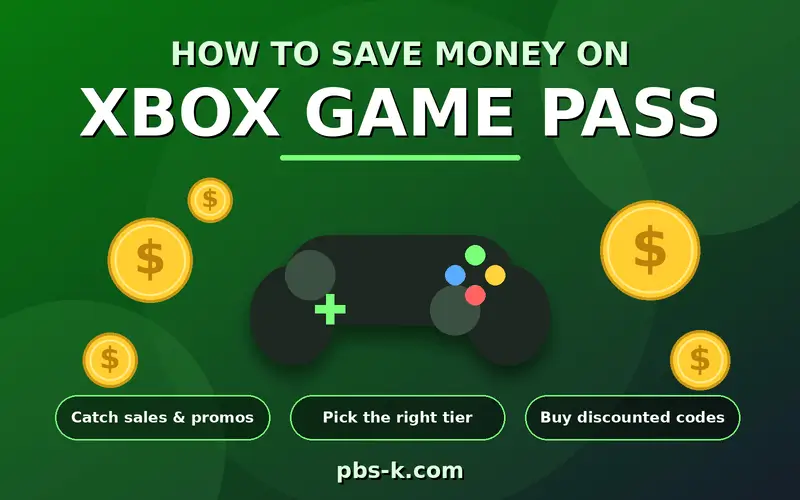
Although a Game Pass subscription can be useful, paying every month can become expensive.
Here are some practical ways to manage the cost.
1. Choose a plan based on your actual needs
Do not automatically select Ultimate because it has the most features.
If you mainly want a smaller game library and online multiplayer, Essential may be enough.
2. Check promotional offers
Microsoft sometimes provides introductory offers for eligible new subscribers.
For example, an introductory price may be available for a limited period.
Always check the regular renewal price because promotional pricing does not necessarily continue after the first billing period.
3. Avoid paying for unused benefits
If you rarely use cloud gaming, EA Play, or other additional memberships, consider whether Ultimate is worth the extra cost.
4. Compare subscription access with buying games
If you only play one or two games regularly, purchasing them individually may cost less over time.
However, Game Pass can offer better value if you frequently explore different titles.
5. Watch your renewal date
Set a reminder before your next billing date so you can decide whether to continue.
This is particularly useful when you subscribe to try a specific game.
What Should You Check Before Buying Xbox Game Pass?
Before subscribing, review a few important details.
- Regional pricing: Prices differ between countries.
- Renewal price: Promotional prices may increase after the introductory period.
- Game availability: Not every title stays in the library permanently.
- Device compatibility: Some games require specific hardware or operating systems.
- Cloud gaming limits: Monthly streaming allowances depend on your plan.
- Internet requirements: Streaming games requires a suitable connection.
- Subscription terms: Check cancellation and automatic renewal conditions.
These checks can help you avoid paying for a subscription that does not match your expectations.
FAQs
How Much Is Xbox Game Pass in 2026?
In the United States, Xbox Game Pass costs $9.99 per month for Essential, $14.99 for Premium, $22.99 for Ultimate, and $13.99 for PC Game Pass. Prices vary by region and may change.
What Is the Cheapest Xbox Game Pass Subscription?
Essential is the cheapest main subscription, costing $9.99 per month in the US. It includes a smaller game library, online console multiplayer, and selected additional benefits.
Is Xbox Game Pass $10 a Month?
The Essential plan costs $9.99 per month in the US. Other plans cost more depending on their features and included games.
Is Xbox Game Pass Ultimate $22.99 a Month?
Yes. The regular US price of Xbox Game Pass Ultimate is $22.99 per month. It includes a larger game library, selected day-one releases, EA Play, cloud gaming, and additional benefits.
Is Xbox Game Pass Free?
Xbox Game Pass is a paid subscription service. Microsoft may offer limited introductory promotions to eligible customers, but these offers are not guaranteed for everyone.
Can I Get Xbox Game Pass for One Month?
Yes. Monthly subscriptions are available. You can subscribe for a month and manage recurring billing through your Microsoft account.
Does Xbox Game Pass Include EA Play?
Yes. EA Play is included with PC Game Pass and Xbox Game Pass Ultimate. It is not included with Essential or Premium.
Does Xbox Game Pass Include Fortnite Crew?
Fortnite Crew is included with Xbox Game Pass Ultimate, subject to the applicable membership terms. It is not a standard benefit of every Game Pass plan.
Can I Play Xbox Game Pass Games on PC?
Yes. PC Game Pass provides access to a PC gaming library. Ultimate also supports gaming across compatible Xbox consoles, PCs, and other supported devices.
Do I Keep Games After Cancelling Xbox Game Pass?
No. You generally lose access to Game Pass games when your subscription expires or a title leaves the library. Games purchased separately remain associated with your account under their applicable terms.
Does Xbox Game Pass Renew Automatically?
Yes. Most monthly subscriptions automatically renew unless you turn off recurring billing or cancel according to Microsoft’s subscription terms.
Is Xbox Game Pass Better Than Buying Games?
It depends on how often you play and which games you enjoy. A subscription can offer better value if you regularly try different games. Buying individual titles may be cheaper if you only play a few games over a long period.
Can I Share Xbox Game Pass With My Family?
Xbox Game Pass does not automatically provide a separate full subscription for every family member. Some console sharing features may allow other accounts to access eligible benefits on a designated home Xbox. Check Microsoft’s current sharing rules before relying on this arrangement.
Conclusion
Xbox Game Pass offers several subscription options for different types of players. In the United States, prices range from $9.99 per month for Essential to $22.99 for Ultimate, with Premium and PC Game Pass providing alternatives.
If affordability matters most, Essential is a sensible starting point. Premium offers a larger library, while PC Game Pass suits computer gamers. Ultimate is worth considering if you want access to the broadest selection of games, selected day-one releases, cloud gaming, and additional memberships.
Before subscribing, compare the latest regional prices and benefits on Microsoft’s official website. Choosing a plan based on your actual gaming habits can help you enjoy the service without spending more than necessary.