
Introduction
If you sell products online, run a small business, or occasionally send packages to family and friends, shipping costs can quickly add up. Pirate Ship offers a way to purchase shipping labels online without paying a separate monthly subscription for its basic shipping software.
So, how does Pirate Ship work? It allows you to compare eligible USPS and UPS shipping services, purchase postage at available discounted rates, and print shipping labels from your computer. You then give the package to the selected carrier through an eligible drop-off location or pickup service.
Pirate Ship does not transport your package itself. Instead, it helps you buy postage and manage shipping information while USPS or UPS handles the actual delivery.
The service can be useful for online sellers, small businesses, resellers, and individuals who want to compare shipping prices before sending a package. However, the cheapest option depends on the package’s weight, dimensions, destination, and required delivery speed.
This guide explains how Pirate Ship works, how to use it step by step, what it costs, and what to know before purchasing your first shipping label.
What Is Pirate Ship?
Pirate Ship is an online shipping platform that helps users purchase discounted USPS and UPS shipping labels. It provides a way to access eligible commercial shipping rates without having to buy postage directly at a carrier counter.
According to Pirate Ship’s official support documentation, its basic service has no subscription fees, label markups, or minimum shipping requirements. Users pay for the shipping labels they purchase.
The platform is designed to make shipping easier by bringing important tasks into one place, including:
- Entering sender and recipient addresses.
- Recording package weight and dimensions.
- Comparing available shipping services and prices.
- Purchasing and printing shipping labels.
- Accessing tracking information.
- Managing shipments and eligible unused-label refunds.
You can enter shipping details individually, upload shipment information from a spreadsheet, or connect supported ecommerce platforms.
Pirate Ship is particularly useful when you need to buy postage regularly but do not want to manage every shipment through a carrier’s retail counter.
How Does Pirate Ship Work Step by Step?
The process is straightforward once you have your package ready. You create an account, enter the shipment details, choose a shipping service, purchase the label, and hand the package to the carrier.
Step 1: Create a Free Account
Visit the official Pirate Ship website at https://www.pirateship.com/ and create an account.
You will need to provide the requested account and billing information. Pirate Ship may also ask you to verify your email address or complete other account-security steps.
You do not need to operate a large company to use the service. It supports personal shipments as well as business shipping.
Before creating your first label, prepare your package, a reliable way to measure its weight and dimensions, and a printer.
Step 2: Enter the Shipping Addresses
Add the sender’s address and the recipient’s complete delivery address.
Check the following details carefully:
- Recipient’s full name or business name.
- Street address and apartment or unit number.
- City, state, and ZIP Code.
- Return address.
- Country, for international shipments.
Pirate Ship can check domestic addresses against the USPS address database and suggest corrections, depending on your settings. However, address validation does not guarantee that a recipient can receive a package at that location.
Review suggested corrections before purchasing postage. A missing apartment number or incorrect ZIP Code can delay delivery or cause a shipment to be returned.
Step 3: Enter the Package Weight and Dimensions
Measure and weigh the package after packing it.
For a box, record its length, width, and height. Measure the outside dimensions rather than the dimensions of the empty box.
For example, imagine you are shipping a box containing a small product. After adding protective packaging, the parcel weighs 2 pounds and measures 12 × 8 × 4 inches.
You would enter those details into the shipment form, along with the destination.
These measurements are important because carriers use them to determine postage. A package that is heavier or larger than declared may incur additional charges.
Do not estimate the weight if you can avoid it. A small difference can affect the available rates, and dimensional pricing may apply to some larger parcels.
Step 4: Compare Shipping Rates
After entering the required shipment information, request the available rates.
Pirate Ship displays eligible USPS and UPS services and their prices for your package. Depending on the destination and package details, you may see options with different delivery speeds and service conditions.
Compare more than the price alone. Consider:
- Estimated delivery time.
- Tracking availability.
- Included insurance or carrier liability.
- Package size and weight limits.
- Delivery requirements.
- Any additional service charges.
For instance, a slower ground service may cost less than an expedited service. If the recipient does not need the package urgently, paying more for faster delivery may not be worthwhile.
Rates are shipment-specific. The example of a 2-pound box does not establish a universal price because the destination, dimensions, service, and current rate schedule all matter.
Step 5: Purchase the Shipping Label
Once you have selected the service, review the shipment information and pay for the label.
Pirate Ship charges you for the postage you purchase rather than requiring a monthly software subscription for its standard service.
You should check the addresses, weight, dimensions, shipping method, and any optional services before completing the purchase.
A label contains information the carrier uses to route and process the package. If you discover a significant mistake after purchasing it, do not assume that writing a correction on the label will fix the problem.
Instead, check whether you can request a refund for the unused label and purchase a corrected one.
Step 6: Print and Attach the Label
Print the shipping label using your own printer. Pirate Ship does not generally provide the printer, scale, or packaging needed to prepare your shipment.
Use a suitable label printer or print the label on regular paper and attach it securely according to the carrier’s instructions.
Make sure:
- The barcode is clear and easy to scan.
- The shipping address is readable.
- The label is attached to a flat, visible surface.
- Tape, folds, or seams do not interfere with the barcode.
- Old shipping labels and barcodes are removed or covered.
If you print the label on paper, secure it so it will not become detached or damaged during transit.
Step 7: Hand the Package to USPS or UPS
After attaching the label, prepare the package for the carrier shown on it.
Depending on the service, you may be able to drop off your parcel at an eligible post office, carrier location, or authorized drop-off point. Pickup may also be available, subject to the carrier’s rules and any applicable fees.
USPS pickup options and UPS pickup arrangements are not identical. Check the current instructions for the specific service before leaving the package unattended or scheduling a collection.
Keep your receipt or other proof of handoff when available. A drop-off receipt can be useful if tracking does not update as expected.
Step 8: Track the Shipment
Purchased USPS and UPS labels include tracking according to Pirate Ship’s official documentation.
You can access the tracking information through Pirate Ship or use the tracking number on the relevant carrier’s website.
Tracking updates appear when the carrier records shipment events. They may not appear immediately after you print a label or place the package in a collection area.
If there is no initial scan, allow time for the carrier to process the package. If the delay continues, contact the location where you handed it over or the carrier for assistance.
Pirate Ship supplies the label and shipping-management tools, but the carrier is responsible for physically transporting and delivering the parcel.
Is Pirate Ship Free to Use?
Yes. Pirate Ship’s standard shipping-label platform is free to use, and it does not charge a monthly subscription fee or add a markup to the postage it sells.
However, free software does not mean free shipping. You still pay for every shipping label you purchase.
Here is how the main costs work:
| Expense | How It Works |
|---|---|
| Account creation | Free |
| Basic shipping software | Free |
| Shipping labels | You pay the displayed postage price |
| Packaging materials | Usually your responsibility |
| Printer and scale | You provide your own |
| Optional insurance | Additional cost may apply |
| UPS pickup | A fee may apply |
| Postage adjustments | Possible if shipment details are inaccurate |
Additional charges can arise from carrier rules, incorrect package measurements, address corrections, or optional services. The exact conditions depend on the carrier and shipping service.
Before purchasing a label, review the final price and the applicable service terms.
Is Pirate Ship Cheaper Than USPS or UPS?
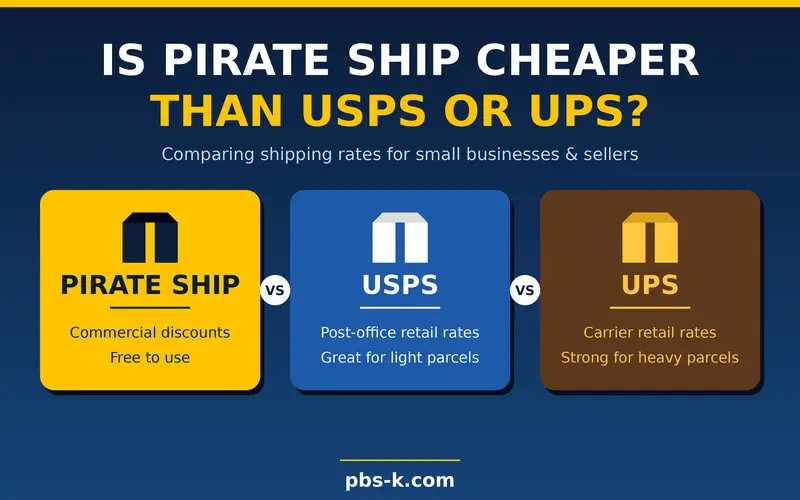
Pirate Ship can be cheaper than buying postage at retail prices because it provides access to eligible commercial USPS pricing and discounted UPS rates.
However, it is not possible to say that every Pirate Ship shipment will be cheaper than every alternative.
The actual savings depend on the package and the services available for its route.
| Shipping Option | Main Advantage | What to Consider |
|---|---|---|
| Pirate Ship | Compare eligible USPS and UPS rates in one platform | Requires accurate shipment details and label printing |
| USPS website or post office | Purchase USPS postage directly | Available rates depend on the purchase method and service |
| UPS website or location | Purchase UPS services directly | Retail and online pricing can differ |
| Other shipping platforms | May offer additional carrier integrations or business tools | Check subscription fees and total shipping costs |
A fair comparison requires the same destination, package dimensions, weight, delivery service, and optional coverage.
For example, compare a USPS service offered through Pirate Ship with the equivalent USPS service available through another purchase channel. Then compare the total price and delivery terms rather than looking only at a headline discount.
Pirate Ship is often worth checking if you ship parcels regularly, but you should compare rates when the shipment is unusually large, urgent, or requires special handling.
Who Should Use Pirate Ship?
Pirate Ship is most useful for people who ship packages and want an easy way to compare eligible USPS and UPS rates.
Small Business Owners
Small businesses can use the platform to purchase labels without maintaining a separate paid shipping-software subscription.
It can be especially helpful for businesses that send orders several times a week and want to keep postage expenses organized.
Etsy, eBay, and Other Online Sellers
Online sellers often need to ship products to customers across different locations.
Pirate Ship can help them compare shipping services and create labels. Depending on the supported integration and their workflow, sellers may also be able to import orders rather than manually enter each address.
Check the platform’s current integration list before assuming that a particular marketplace or selling tool is supported.
Resellers and Occasional Shippers
People who sell secondhand products, collectibles, clothing, or household goods can also benefit.
You do not necessarily need a large shipping volume to use Pirate Ship. Its lack of a minimum shipping requirement makes it an option for occasional parcel shipments as well.
People Sending Personal Packages
You can also use Pirate Ship for eligible personal shipments. For example, you might send a gift, a book, or a small parcel to a friend or relative.
If you only send a package once or twice a year, compare the convenience and total cost with purchasing postage directly from a carrier.
Does Pirate Ship Offer International Shipping?
Pirate Ship offers eligible international shipping services through USPS and UPS. Availability depends on the destination, package contents, service, and other shipping requirements.
International shipping involves more than printing a label. You may need to provide a detailed description of the goods, their value, the country of origin, and other customs information.
Before purchasing an international label:
- Confirm that the destination country is supported for your chosen service.
- Check the carrier’s restrictions on prohibited and restricted items.
- Describe the contents accurately.
- Declare the correct value of the goods.
- Complete the required customs information.
- Check who may be responsible for import duties and taxes.
- Review tracking and delivery expectations for the destination.
Customs processing can delay delivery, and the recipient may have to pay import charges depending on the shipment and destination country’s rules.
Do not assume that every international shipment has the same tracking coverage or delivery timeline. Review the terms of the selected service before sending valuable or time-sensitive items.
Does Pirate Ship Include Tracking and Insurance?
Tracking and insurance are separate considerations.
Package Tracking
Pirate Ship’s USPS and UPS shipping labels include tracking. Once the carrier scans the parcel, you can follow its progress using the tracking number.
A label being created does not mean the package has been collected. If the status still indicates that a label was created, the carrier may not have recorded its first physical scan.
Shipping Insurance
Some shipping services include a limited amount of insurance or carrier liability, while others have different coverage terms. Additional third-party shipping insurance may also be available through Pirate Ship.
Do not assume that all services cover the same amount or the same types of loss.
If you are shipping an expensive item, review the specific service’s coverage, exclusions, filing deadlines, and documentation requirements. Keep proof of value, photographs of the item when appropriate, and evidence of packaging and shipment.
Insurance is subject to the applicable terms and does not guarantee that every claim will be approved.
Common Pirate Ship Mistakes to Avoid
A little preparation can help prevent extra postage charges and delivery problems.
Guessing the Package Weight
An inaccurate weight can result in a postage adjustment. Weigh the fully packed parcel instead of weighing the product alone.
Entering Incorrect Dimensions
Use the outside measurements of the finished package. For services that use dimensional weight, a large but lightweight box may cost more than expected.
Choosing the Cheapest Service Automatically
The lowest price may not be suitable if you need faster delivery, particular handling, or specific coverage.
Compare the delivery estimate and service conditions before purchasing postage.
Ignoring Address Corrections
Read address-validation suggestions carefully. A corrected street name or ZIP Code can be helpful, but you should confirm that the final destination matches the information provided by the recipient.
Using the Wrong Carrier Drop-Off Point
A USPS label and a UPS label are not interchangeable. Follow the instructions for the carrier and service printed on the label.
Assuming Tracking Starts Immediately
Tracking can remain unchanged until the carrier records a scan. Keep proof of handoff and contact the carrier if the delay becomes concerning.
Forgetting to Check Refund Eligibility
If you purchase a label and do not use it, check the current refund rules. Unused labels may qualify for refunds, but eligibility and processing depend on the carrier’s terms.
Pirate Ship Limitations to Understand
Pirate Ship can simplify postage purchasing, but it does not replace every part of the shipping process.
First, you remain responsible for preparing and packaging your items. The platform does not physically pack, store, transport, or deliver your shipment.
Second, you need to provide accurate shipment information and generally supply your own printer, scale, and packaging materials.
Third, the available services and rates depend on the shipment. Some packages may have size, weight, destination, contents, or handling restrictions.
Fourth, shipping delays, lost packages, delivery disputes, and damage claims involve the carrier’s tracking records and applicable policies. Pirate Ship may help with label-related questions, but it cannot independently control the delivery network.
Finally, a low label price is not the same as the lowest total cost. Consider packaging, pickup fees, optional insurance, and possible postage adjustments when estimating your shipping expenses.
How to Get the Best Value From Pirate Ship
Use a consistent process to make shipping easier and reduce avoidable expenses.
- Prepare the package first. Pack the item before measuring or weighing it.
- Compare the available rates. Check eligible USPS and UPS services rather than choosing the first result.
- Use suitable packaging. Avoid unnecessarily large boxes, but leave enough room for safe protection.
- Verify the address. Confirm the recipient’s address and review suggested corrections.
- Check the final cost. Review postage and any optional services before buying the label.
- Keep shipment records. Save the tracking number, label details, and handoff receipt when available.
- Review expensive shipments carefully. Check insurance terms and delivery requirements before sending valuable goods.
For businesses that ship multiple orders, importing addresses through a supported integration or spreadsheet can also reduce repetitive data entry. Review the imported information before purchasing labels, since automation does not eliminate the need to verify shipment details.
Conclusion
Pirate Ship is a shipping-label platform that lets individuals and businesses compare eligible USPS and UPS rates, purchase postage, print labels, and access tracking information. The basic software is free, but users still pay for the postage and any applicable additional services or charges.
The process is simple: create an account, enter accurate shipping details, compare rates, buy a label, attach it to the package, and hand the parcel to the selected carrier.
If you want to reduce shipping costs, compare the available rates for your actual package and destination. Accurate measurements, correct addresses, and a suitable delivery service will help you make a more informed choice.
FAQs
How Does Pirate Ship Work?
Pirate Ship lets you compare eligible USPS and UPS shipping rates, purchase postage online, print a shipping label, and track your shipment. You then hand the package to the carrier responsible for delivery.
Is Pirate Ship Legitimate?
Yes. Pirate Ship is an online shipping-label platform that provides access to USPS and UPS shipping services. You should still review the service, postage price, and applicable shipping terms before purchasing a label.
Is Pirate Ship Really Free?
Yes, the standard platform is free to use, without a monthly subscription or postage markup. You still pay for the shipping labels you buy, along with any applicable additional charges or optional services.
Is Pirate Ship Cheaper Than USPS?
It can be cheaper than USPS retail pricing because it offers eligible commercial rates. However, the actual difference depends on the package, destination, service, and pricing available when you purchase postage.
Can I Use Pirate Ship Without a Business?
Yes. Pirate Ship supports personal shipments as well as business shipping. You do not need to run an established ecommerce store to send an eligible package.
Does Pirate Ship Provide Free Shipping Labels?
No. The software is free, but the labels are not. You pay for the postage associated with each label you purchase.
Can I Print Pirate Ship Labels at Home?
Yes. You can print shipping labels using your own printer. You can use a suitable label printer or print on paper and attach the label securely to the package.
Does Pirate Ship Pick Up Packages?
Pirate Ship does not physically collect packages itself, but it supports eligible carrier pickup arrangements. USPS pickup may be available under applicable conditions, while UPS pickup can involve a fee. Availability depends on the carrier and service.
How Do I Track a Pirate Ship Package?
Find the tracking number associated with your purchased label. Enter it on the USPS or UPS tracking website, depending on the carrier, or view the available tracking information through Pirate Ship.
Does Pirate Ship Work for International Shipping?
Yes. Eligible USPS and UPS international shipping services are available. International shipments may require customs declarations and can involve import duties, taxes, restrictions, and longer delivery times.
What Happens if I Buy the Wrong Shipping Label?
Check whether the unused label qualifies for a refund, then purchase a corrected label if necessary. Do not rely on handwritten changes to correct important address information because the carrier’s barcode may still contain the original details.
What Happens if My Package Is Lost?
Check the carrier’s tracking information and contact the carrier or shipping support as appropriate. If the package is eligible for insurance or carrier-liability coverage, you may be able to submit a claim under the applicable conditions. Approval is not guaranteed.